

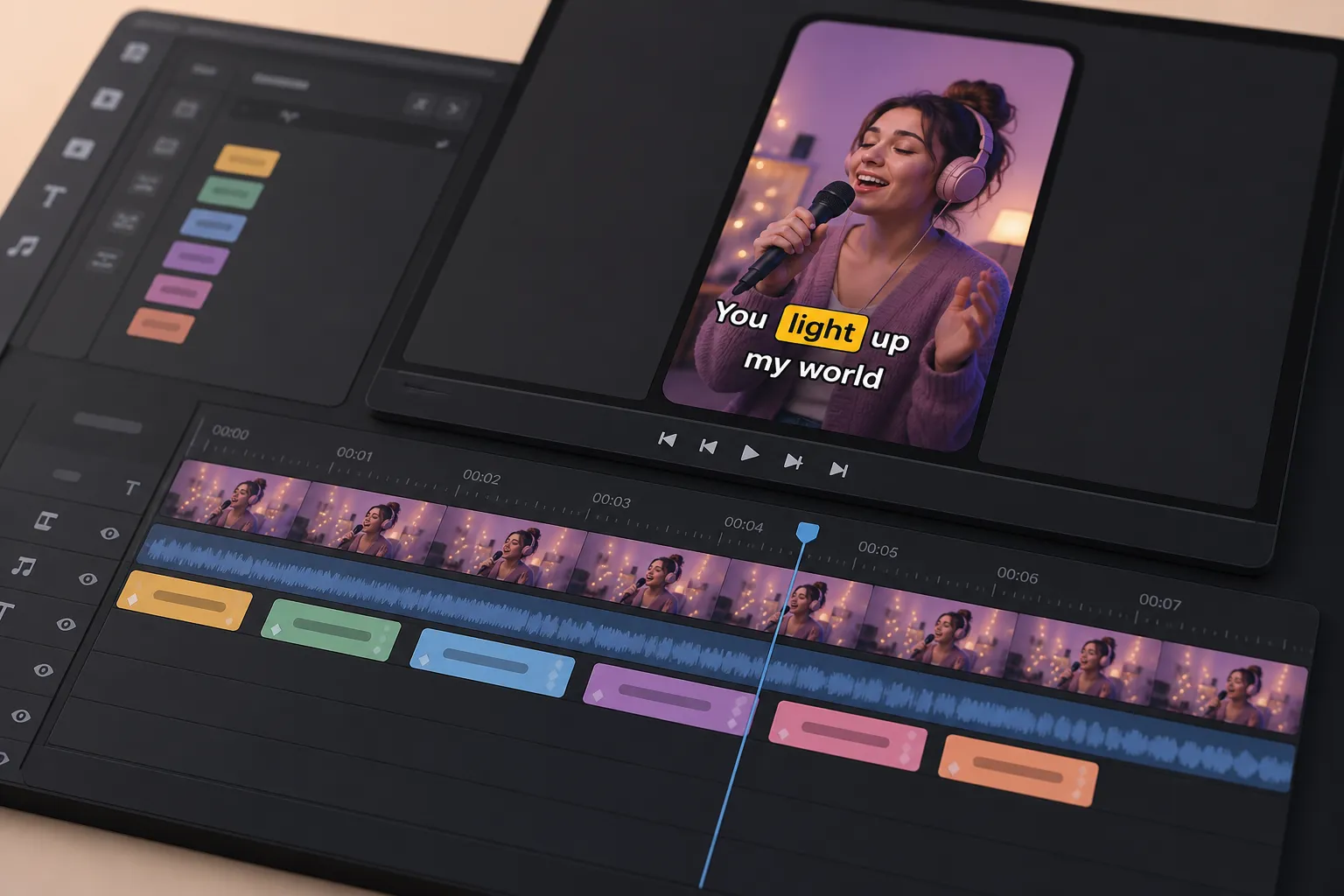
Your priority is simple: publish videos people understand fast, in any language. A plain text translator does not time captions, match your brand, or survive platform quirks. If your channel lives on TikTok, YouTube, Instagram, or X, the right tool is the one that turns speech into styled, burned-in subtitles and gets you to post without a pile of extra steps.
What actually matters for video subtitle translation
- Speech-to-text quality: turning audio into accurate, timed captions.
- Translation that keeps timing: swapping languages without breaking in-out points.
- Editing speed: quick fixes on a timeline instead of copy-paste loops.
- Style control: fonts, colors, animation, and karaoke highlights that fit your brand.
- Social-ready export: burned-in captions and aspect ratios for each platform.
With those in mind, here is how SubtitlesFast, DeepL, and Google Translate compare for creators who publish often.
SubtitlesFast: captions, translation, timing, and style in one place
SubtitlesFast is built for video. It combines capture, translation, timing, and design in one editor, so you are not bouncing between tools. Core features include AI Subtitles that auto transcribe speech in 50+ languages with word-level highlighting, Translate Subtitles that keeps your timing while swapping languages, Subtitle Style Customization with 30+ animated styles, Karaoke Style Subtitles and Karaoke Style Captions, Timeline Editing for quick fixes, Burned-In Subtitles for social, Change Aspect Ratio for vertical, square, or horizontal, Add Music for energy, and an AI Thumbnail Generator to help your video stand out.
A typical short-form workflow looks like this:
- Upload your clip. Run AI Subtitles to get timed captions with word-level highlights.
- Clean lines on the Timeline. Keep 1 - 2 lines per subtitle, aim for readable chunks, and nudge timing if needed.
- Hit Translate Subtitles to create Spanish, French, or any of 50+ language tracks. Subtitles keep the same in and out points, so pacing still fits the video.
- Open Subtitle Style Customization. Pick from 30+ animated looks, set brand fonts and colors, add outlines for contrast, and turn on karaoke highlights for word-by-word emphasis.
- Use Change Aspect Ratio to generate 9:16 for TikTok and Reels, 1:1 for feed, or 16:9 for YouTube. Reframe once and keep a single master project.
- Burn-In Subtitles so text survives compression and auto-caption glitches on each platform. Add a track with Add Music if the clip needs lift. Finish with the AI Thumbnail Generator.
Result: one project, multiple languages, consistent timing, and on-brand captions ready for TikTok, YouTube, Instagram, and X.
DeepL and Google Translate: great for text, slow for video
DeepL and Google Translate are excellent for documents, product copy, and UI strings. For video, they do not handle audio, timing, or styling. The workflow looks more like this:
- Transcribe the video with a separate tool.
- Paste that transcript into DeepL or Google Translate.
- Copy the result into a subtitle editor and try to match the original timing.
- Tweak line breaks so reading speed fits the shot length.
- Style captions in a different app or your NLE, then export.
That back-and-forth is fine if you subtitle once in a while. If you post multiple shorts a week, the handoffs slow you down and increase the odds of slip-ups like orphan words, mismatched timing, and captions covering UI elements. DeepL and Google Translate remain solid upstream tools for text clarity. They just are not video tools.
Style that viewers notice and remember
Readable captions keep watch time up. Styled captions make your brand stick. SubtitlesFast includes 30+ animated subtitle presets and full Subtitle Style Customization: choose fonts, weights, size, color, outline or shadow for contrast, position, and animation. The Karaoke Style Subtitles and Karaoke Style Captions add word-by-word highlights that track the speaker. They work well for punchy hooks, choruses, tutorials where you want viewers to follow exact terms, and meme-style cuts.
Practical tips that are easy to apply in the editor:
- Keep 2 lines max, with comfortable line length. Short phrases read faster than dense paragraphs.
- Use a light fill with a dark outline for high-contrast legibility on busy footage.
- Place captions above the lower UI safe zone so they do not collide with platform buttons.
- Color-code a speaker name or keyword when helpful, but keep the body text consistent.
DeepL and Google Translate output plain text. They do not time or design captions, so any animation, karaoke effect, or brand fit requires a separate subtitles editor and more time.
Publishing for TikTok, YouTube, Instagram, and X
Social platforms compress video and sometimes misread auto captions. Burned-In Subtitles from SubtitlesFast lock your text to the frame so your words stay crisp and consistent everywhere, even when viewers watch with sound off. Pair that with Change Aspect Ratio to deliver the right canvas per platform:
- TikTok and Reels: 9:16, center-safe captions above the UI bar.
- YouTube Shorts: 9:16, same safe-zone rules, thumbnails still matter.
- YouTube long-form: 16:9, consider larger font for mobile viewers.
- X: vertical or horizontal depending on the thread, keep captions clear at small sizes.
If you sell into Spanish-speaking markets, language and operations should move together. For Mercado Libre teams, this operational guide to selling more on Mercado Libre covers how sellers organize orders, messages, inventory, and facturación CFDI Mercado Libre while scaling content. Pair that kind of process with translated, burned-in videos and your listings carry more weight.
DeepL and Google Translate do not export videos, change aspect ratios, or burn captions in. They help upstream with the words. You still need a video editor to ship platform-ready clips.
Learning curve and team fit
SubtitlesFast is for creators and social teams that need to add subtitles to video online without a heavy edit suite. The timeline is direct, styling is visual, and translation stays in sync. If you ship shorts often, you get speed without losing polish.
DeepL and Google Translate fit copy and localization teams who spend most of their day in documents and spreadsheets. If your main output is web copy, manuals, or product descriptions, they are excellent. If your main output is video, they need partners to finish the job.
Verdict: If video is your primary medium, pick SubtitlesFast for AI Subtitles, Translate Subtitles, on-brand styles, karaoke effects, Change Aspect Ratio, Burned-In Subtitles, Add Music, and an AI Thumbnail Generator in one place. If documents are your priority, pick DeepL or Google Translate and accept a slower video workflow when you subtitle.
Which is right for you
- Choose SubtitlesFast if you publish short videos often and want fast, styled, burned-in subtitles that travel across languages and platforms.
- Choose DeepL if your main work is long-form text translation and you only sometimes subtitle video.
- Choose Google Translate for quick, broad text translation when cost and simplicity are top of mind, then finish captions in a video tool.
Key takeaways
- The best AI translator for video handles transcription, translation, timing, and style in one workflow.
- SubtitlesFast covers AI Subtitles, Translate Subtitles, karaoke highlights, 30+ animated styles, aspect ratios, and burned-in exports for social.
- DeepL and Google Translate are excellent for text but slow for video because they do not manage audio, timing, or design.
- Burned-in, styled subtitles improve clarity, protect against auto-caption errors, and keep your brand consistent across platforms.
FAQ
What is the best AI translator for video subtitles?
For video, choose a tool that handles transcription, translation, timing, styling, and export in one place. SubtitlesFast does this end to end for social clips.
Can I burn subtitles into video for TikTok and YouTube?
Yes. SubtitlesFast exports burned-in subtitles so captions display exactly as styled on TikTok, YouTube, Instagram, and X.
How do karaoke style captions work?
Karaoke style captions highlight words in sync with speech. SubtitlesFast supports this with word-level highlighting and animated styles.
Can I add auto captions to shorts and then translate them?
You can generate auto captions with AI Subtitles, then use Translate Subtitles to create versions for new languages without re-timing lines.
Can I customize subtitle fonts and animations to match my brand?
Yes. SubtitlesFast includes 30+ animated styles and controls for fonts, colors, and animations so captions fit your brand.