

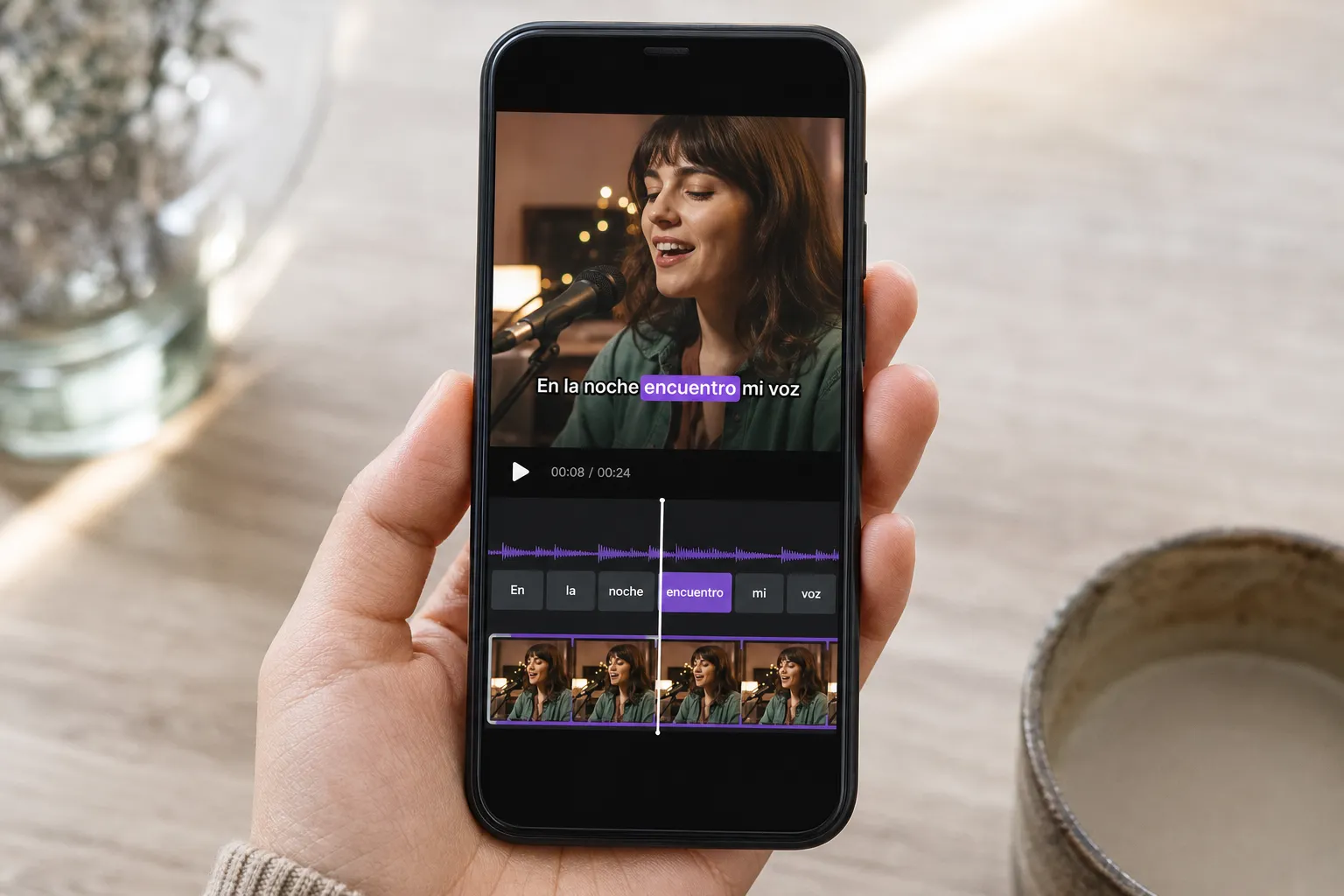
Spanish subtitles should sound native, hit the beat, and be ready to post without busywork. This guide shows practical ways to go from English audio to clean Spanish captions, with concrete settings, quick fixes for common errors, and exports that look right on TikTok, Reels, and YouTube.
SubtitlesFast - best for quick English-to-Spanish with burned-in exports
SubtitlesFast is a web-based AI video editor built for captions. It auto transcribes in 50+ languages with AI Subtitles, lets you Translate Subtitles to Spanish, and gives you Subtitle Style Customization with 30+ animated looks. If you like word-by-word highlighting, Karaoke Style Subtitles and Karaoke Style Captions track the audio so viewers stick with fast speech.
Beyond captions, you get Timeline Editing to trim, cut, and reorder clips, Change Aspect Ratio for 9:16, 1:1, 4:5, and 16:9, Add Music under VO, and an AI Thumbnail Generator for covers. When you export, use Burned-In Subtitles so your look is consistent across platforms that do their own styling.
Typical workflow:
- Upload your video or paste a link. Pick English for transcription.
- Run AI Subtitles, then scan the transcript. Fix names and brand terms with find and replace.
- Click Translate Subtitles and choose Spanish. Set a style choice (tú vs usted) and region if you maintain consistency across videos.
- Open Style. Use a bold, readable font, a soft drop shadow or background box, and word-level highlight if the pace is high.
- Resize to the target aspect ratio. Nudge captions above UI zones for TikTok and Reels.
- Export: H.264 with burned-in Spanish for Shorts and Stories. Optionally export an SRT or VTT for YouTube’s caption track.
Pros
- Fast AI Subtitles, then one-click Translate Subtitles to Spanish with word-level timing.
- 30+ animated styles plus fonts, colors, outlines, and effects for branded looks.
- Karaoke highlighting keeps attention on punchy cuts and music content.
- Timeline Editing, Change Aspect Ratio, Add Music, and AI Thumbnail Generator in one browser tab.
- Burned-In Subtitles for reliable playback on every platform and app.
Cons
- Names, slang, and numbers still need a quick human pass.
- Requires an internet connection to edit and export.
Who it is for
Creators and teams that need English-to-Spanish subtitles fast, want on-brand styling, and prefer burned-in exports for social.
YouTube captions and auto translate - free and simple
If YouTube is home base, its caption tools give you a no-cost path. You can generate auto captions from English, upload your own SRT, and offer Spanish. Viewers can choose their language on desktop and most mobile players.
How to add Spanish on YouTube:
- Go to YouTube Studio > Subtitles. Pick your video.
- Add language > English for the source track if needed. Edit the auto transcript for names and jargon.
- Add language > Spanish. Upload an SRT labeled es-ES (Spain) or es-419 (Latin America), or let auto translate create a draft and then edit.
Pros
- No extra software and tied to your existing uploads.
- Auto captions give you timing you can refine.
- Viewers can toggle languages as they need.
Cons
- Minimal style control. No animated or brand fonts.
- Spanish accuracy depends on audio clarity and accent. Always review.
- Burned-in outputs are not part of the flow. Off-platform shares need another tool.
Who it is for
Channels that want free accessibility on YouTube and can skip custom styling or burned-in looks.
Desktop video editors - precise timing, slower setup
Pro NLEs like Premiere Pro, DaVinci Resolve, and Final Cut Pro give you frame-level control. Premiere and Resolve include speech-to-text. All can import and export SRT, and you can burn captions into the final render.
Example in Premiere Pro:
- Text panel > Transcript > English. Generate and correct the transcript.
- Create captions from transcript. Choose subtitle format, not closed captions, for full style control.
- Translate: export SRT, translate externally, then import as a Spanish track.
- Style in Essential Graphics. Keep two-line wraps and readable sizes.
- Export: Match platform aspect ratio. Under Captions, choose Burn Captions Into Video for social.
Pros
- Frame-accurate timing, placement, and layout for complex edits.
- Solid choice for long-form and multi-track timelines.
- Flexible exports and codecs for archive and broadcast.
Cons
- Heavier setup and learning curve than web tools.
- Karaoke-style effects take extra steps or plugins.
- Overkill when you just need quick captions and a social post.
Who it is for
Editors who already live in an NLE and want granular control, even if it takes longer.
Standalone subtitle editors - granular timing for power users
Apps like Subtitle Edit, Aegisub, and EZTitles focus on timing, line breaks, and QC. They excel when you have a clean transcript, need bilingual files, or must meet strict reading speed.
Typical QC settings to use:
- Max 2 lines, max 42 characters per line.
- Min duration 1.0 s, max 6.0 s per subtitle.
- Reading speed 12 to 17 characters per second for general content, up to 20 for fast talk.
- Break lines at natural phrase boundaries. Avoid orphans like a single short word on line 2.
Pros
- Strong tools for timing, line breaks, and reading speed checks.
- Great for translation workflows and multi-language delivery.
- Exports almost every caption format platforms accept.
Cons
- Visual style is limited to what players support. Not ideal for animated or karaoke looks.
- To post on social, you still need to burn subtitles into a video elsewhere.
- Manual steps take longer without AI assists.
Who it is for
Teams delivering caption files to clients, and power users who want strict timing control outside an editor.
Mobile caption apps - fast for TikTok and Reels
On-phone tools like CapCut, Captions, and Vrew are quick for short-form. Record, auto caption, tweak, and post. They are fast in the field, but style, translation, and multi-clip control are lighter than web or desktop.
Pros
- Speed from capture to post, especially for vertical video.
- Simple templates and edits you can do with one hand.
- Good for testing several hooks in a day.
Cons
- Translation tools are basic. Expect more manual edits in Spanish.
- Brand fonts and custom animations are limited.
- Exports can be locked to specific presets.
Who it is for
Creators who prioritize speed on shorts and can live with simpler styling.
Auto translate vs manual edits
Auto translation often lands 80 to 90 percent on clear audio. Always do a pass for tone, idioms, and details. Quick checks:
- Formality: decide on tú or usted and keep it throughout. Example: “You’ll love this” - “Te va a encantar” (tú) vs “Le va a encantar” (usted).
- Numbers and units: “2.5K” - “2.5 mil”, “mph” - “km/h” if you localize measurements.
- Names and brands: protect capitalization and spelling.
- Idioms: “break the bank” - “salirse del presupuesto” or “ser carísimo,” not a literal “romper el banco.”
- Punctuation: add opening marks. “What’s this?” - “¿Qué es esto?” Use accents: “más,” “tú,” “sé.”
Style Spanish captions for clarity
- Keep it short. Aim for two lines max, 32 to 42 characters per line.
- Readable size. On 1080x1920, 64 to 76 px for body captions usually works. Increase for dense backgrounds.
- Contrast. Use white or yellow with a soft shadow or semi-opaque box (60 to 75 percent) and 8 to 12 px padding.
- Line spacing and margin. 120 percent line height, 6 to 10 percent above the bottom edge so it clears app UI.
- Emphasis. Reserve color pops for keywords. Too many colors hurt readability.
- Karaoke. Word-level highlight helps on fast VO or music, but keep animations subtle so text stays legible.
- Safe areas. Check TikTok and Reels overlays. Keep captions above the bottom username and away from right-side buttons.
Export choices for social and YouTube
Pick based on where the video will live:
- Social posts: export with burned-in Spanish subtitles. H.264, high profile, 8 to 12 Mbps for 1080p, 9:16 for vertical, 1:1 or 4:5 for square and feed.
- YouTube long-form: upload the clean video and attach an SRT or VTT. Use language codes like es-ES or es-419 to help viewers pick the right variant.
- YouTube Shorts and Stories: burned-in keeps your look consistent across players that restyle captions.
- Audio cleanup first. A quick denoise and limiter pass improves auto captions and reduces fixes later.
How we chose
We tested tools against five things that matter to creators: Spanish accuracy on common mic setups, time to first draft, edit speed for fixes, style control for brand-safe posts, and export flexibility for TikTok, Instagram, and YouTube. Tools that move you from first pass to final share without juggling apps ranked higher.
Key takeaways
- Start with AI, then do a fast human pass for tone, names, numbers, and accents.
- Use high-contrast styles, two lines max, and phone-first sizes. Keep captions out of app UI zones.
- Burn subtitles into video for social. For YouTube, attach an SRT or VTT so viewers can toggle Spanish.
- SubtitlesFast covers AI Subtitles, Translate Subtitles, karaoke-style timing, timeline tweaks, and burned-in exports in one browser tab.
FAQ
What is the fastest way to subtitular videos de ingles a español online?
Use an AI subtitles generator to transcribe and translate, then do a quick human pass for names, slang, and accents. Finish with a burned-in export for social.
Should I trust auto translate for Spanish captions?
It is a strong first draft, but you should review. Fix tone, numbers, brand terms, and add Spanish punctuation like ¿ and ¡ where needed.
How can I keep Spanish subtitles readable on TikTok and Reels?
Use 9:16 aspect ratio, high-contrast colors with a soft shadow, and limit to two short lines. Avoid UI areas where captions might be covered.
What is the difference between burned-in subtitles and caption files?
Burned-in subtitles are baked into the video and always visible. Caption files are separate text tracks that platforms like YouTube can toggle on or off.
When should I use karaoke style captions?
Use them for music videos, hooks with a rhythm, or fast cuts where word-level highlighting helps viewers follow along and stay engaged.