

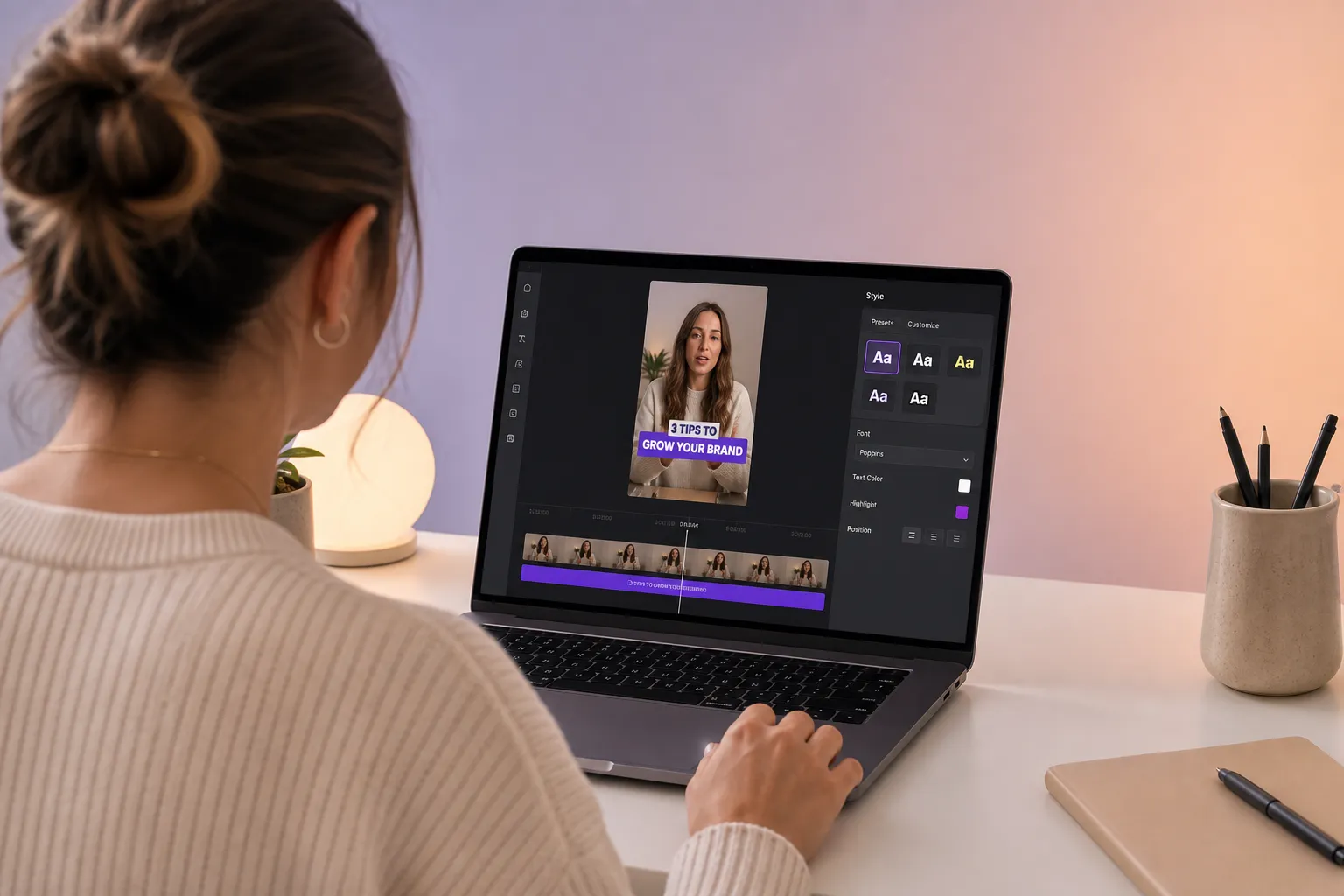
Inconsistent captions make strong videos look unprofessional. Fonts shift, lines wrap awkwardly, and viewers swipe because they cannot read fast enough. You do not need a new typeface or a motion design degree. You need a small set of caption templates that anyone on your team can apply in seconds. Below are four proven styles, exact placement rules, timing specs that match human reading speed, and a simple way to store everything as reusable presets so every export stays on-brand.
Core caption styles that always read well
1) High-contrast news bar
Think of a clean headline sitting on a soft color bar. The bar prevents the text from competing with the background and works on noisy footage.
- Type: Sans serif at medium weight. Examples: Inter, SF Pro, or Roboto Medium.
- Size: 46–56 px on 1080x1920, scaled proportionally for other aspects.
- Line height: 120–140 percent for two lines without crowding.
- Bar: 70–85 percent opacity in a brand color or charcoal. Radius 8–12 px.
- Contrast: Aim for at least 4.5:1 between text and bar. Add a 1 px stroke or soft shadow as insurance.
- Placement: Lower third, centered or left-aligned. Keep baseline off the bottom UI by a safe zone (see placement rules below).
Use it on fast cuts, street footage, shaky B-roll, or anytime you see background detail poking through letterforms.
2) Creator bubble captions
A rounded rectangle with a small pointer that points toward the speaker’s mouth line. It reads conversational and clarifies multi-speaker edits without heavy name tags.
- Type and size: Same as news bar, but increase side padding to 20–28 px so text never kisses the edges on small screens.
- Color-coding: Assign brand palette variants per speaker. Keep background saturation lower than highlight accents so the text stays dominant.
- Pointer: 8–12 px triangle or curved notch that follows the speaker’s position. Hide the pointer on tight crops to avoid covering lips.
- Automation tip: Build one bubble per speaker in your template library, then switch with a hotkey rather than redrawing shapes.
Great for interviews, duets, roundtables, and stitched reactions where viewers need to track who is talking at a glance.
3) Bold karaoke highlights
Per-word or per-syllable highlights that animate in time with speech. This guides the eye and reduces cognitive load, especially for quick hooks and music-driven edits.
- Sync: Word-level timing at normal speed, syllable-level for fast rap or tongue twisters. Test at 1.0x and 1.25x playback.
- Colors: Neutral base line with a high-contrast highlight color from your brand. Avoid flashing. Hold emphasis on key words for 120–240 ms after they finish.
- Fallback: If platforms strip styling, burn subtitles into video to preserve timing and animation.
Perfect for musical clips, podcast hooks, and reels that rely on rhythm or punchy phrasing.
4) Minimal lower third
Two tidy lines with a thin stroke or subtle shadow. Editorial, quiet, and ideal when visuals carry the story.
- Type: Regular weight sans serif. Sentence case for natural reading. Reserve all caps for 1–2 word emphasis.
- Line length: 32–40 characters per line. Left-align if lines run long.
- Variants: Save a light-on-dark and dark-on-light preset. Swap automatically based on luminance of the underlying frame.
Placement and safe zones that survive every platform
Each platform adds overlays that can crush legibility. Design once with safe zones and you will not have to fix captions after scheduling.
- Universal margins: Keep captions at least 6 percent in from left and right edges on vertical video. On 1080x1920, that is 64 px.
- Bottom UI clearance: Leave 144–192 px from the bottom on Shorts, Reels, and TikTok to clear progress bars, like/comment stacks, and creator handles.
- Top clutter: Avoid the top 10–12 percent to clear usernames, follow buttons, and timers. On 1080x1920, that is ~120–144 px.
- Safe box: For 9:16, treat the readable box as ~960x1600 centered. Place your caption baseline inside this box and lock it in your template.
- Thumbnails: If the frame will double as a thumbnail, test with platform overlays enabled. Do not let captions touch logos or watermarks.
- Auto-captions: If a platform adds its own captions, your style should still read clean or be exported as burned-in with platform captions toggled off.
Timing, readability, and accessibility specs
Readable captions follow human processing limits. Set rules once in your templates so every editor hits the same targets.
- Characters per line: 32–42 for mobile-first videos. Never exceed two lines.
- Characters per second: 12–17 cps. Faster than that forces skips.
- Duration: 1.0–6.0 seconds per subtitle. Keep very short lines visible for at least 1.0–1.2 seconds so viewers can register them.
- Gaps: 100–200 ms between subtitles prevents perceived flicker.
- Breaks: Split on natural phrases or punctuation, not at the edge of the frame. Do not orphan short prepositions or articles on a new line.
- Contrast: Aim for 4.5:1. If footage brightness spikes, auto-switch to your high-contrast variant.
- Localization: Leave 15–25 percent room for text expansion when translating. Keep emoji, hashtags, and proper nouns intact across languages.
- Hearing accessibility: Include non-speech sounds only when essential to comprehension, wrapped in brackets. Keep reading order consistent with speech order in multi-speaker edits.
When timing or styling must survive re-uploads or cross-posting, burn subtitles into video. When you need search indexing or toggling, export sidecar files too. A good AI subtitles generator lets you do both in the same project.
Build reusable templates your whole team can trust
Templates save time only if they are standardized, named clearly, and easy to find. Treat them like a design system.
- Variants by aspect: Save 9:16, 1:1, and 16:9 versions with proportional type scaling so text does not reflow between cuts.
- Naming: Prefix by brand and purpose. Example: SF-NewsBar-Primary-9x16, SF-Bubble-Guest-1x1, SF-Karaoke-Emphasis-16x9. Document font, size, stroke, and safe zones in the description.
- Color tokens: Store brand colors as tokens, not eyeballed hex codes. Lock acceptable contrasts and fallbacks.
- Review loop: Collect, deduplicate, and rank template change requests just like a product team. This practical roundup of customer feedback software alternatives to Canny shows how structured input, prioritization, and Slack or Linear integrations keep decisions traceable.
- Permissions: Give editors apply-only access and restrict edits to template owners so settings do not drift.
- Translation plan: Centralize glossary terms per language and set auto-expansion rules so long lines scale down rather than wrap.
- Delivery: Decide per channel. Burn-in for TikTok and Instagram where styling matters, sidecar for YouTube where toggling helps accessibility.
Work faster in SubtitlesFast
SubtitlesFast was built for this workflow. You can save caption templates, style presets, and timing rules once, then apply them to any cut. Editors add subtitles to video online, translate them, adjust styles, and export to every social format without rebuilding layouts.
- Template library: Store news bars, bubbles, karaoke, and minimal sets with safe zones baked in. Swap variants per aspect with one click.
- AI timing: Auto-detects speech, respects cps and duration limits, and snaps line breaks to natural phrases.
- Karaoke editor: Per-word or per-syllable highlights with adjustable hold times and brand color tokens.
- Brand kit: Shared fonts, colors, and stroke presets so contractors match your look.
- Translation: One project, many languages. Leave 15–25 percent expansion and let templates scale automatically.
- Export: Burn subtitles into video or generate sidecar files. Presets for Shorts, Reels, and TikTok handle codec and bitrate, then push exports fast.
Key takeaways
- Pick four caption styles that fit your brand and document exact settings.
- Respect safe zones. Keep captions inside a consistent box that clears platform UI.
- Follow timing specs. 32–42 characters per line, 12–17 cps, and 1–6 second durations.
- Centralize templates, name them clearly, and run a simple feedback queue.
- Use SubtitlesFast to apply, translate, and export templates without rebuilding.
Once your go-to styles are saved, captioning becomes rinse and repeat. SubtitlesFast gives you auto timing, reliable styling, and exports that follow your rules, plus a karaoke subtitles editor when you want that extra pop.