

Most video is watched with sound off. If you publish clips for YouTube, TikTok, or Reels, you have to pick between closed captions and subtitles. Pick right and more people finish the video, understand it, and find it in search. Here is the practical guide, with clear choices for each platform and a fast way to ship clean text on screen.
Captions vs subtitles: what they include and when to use
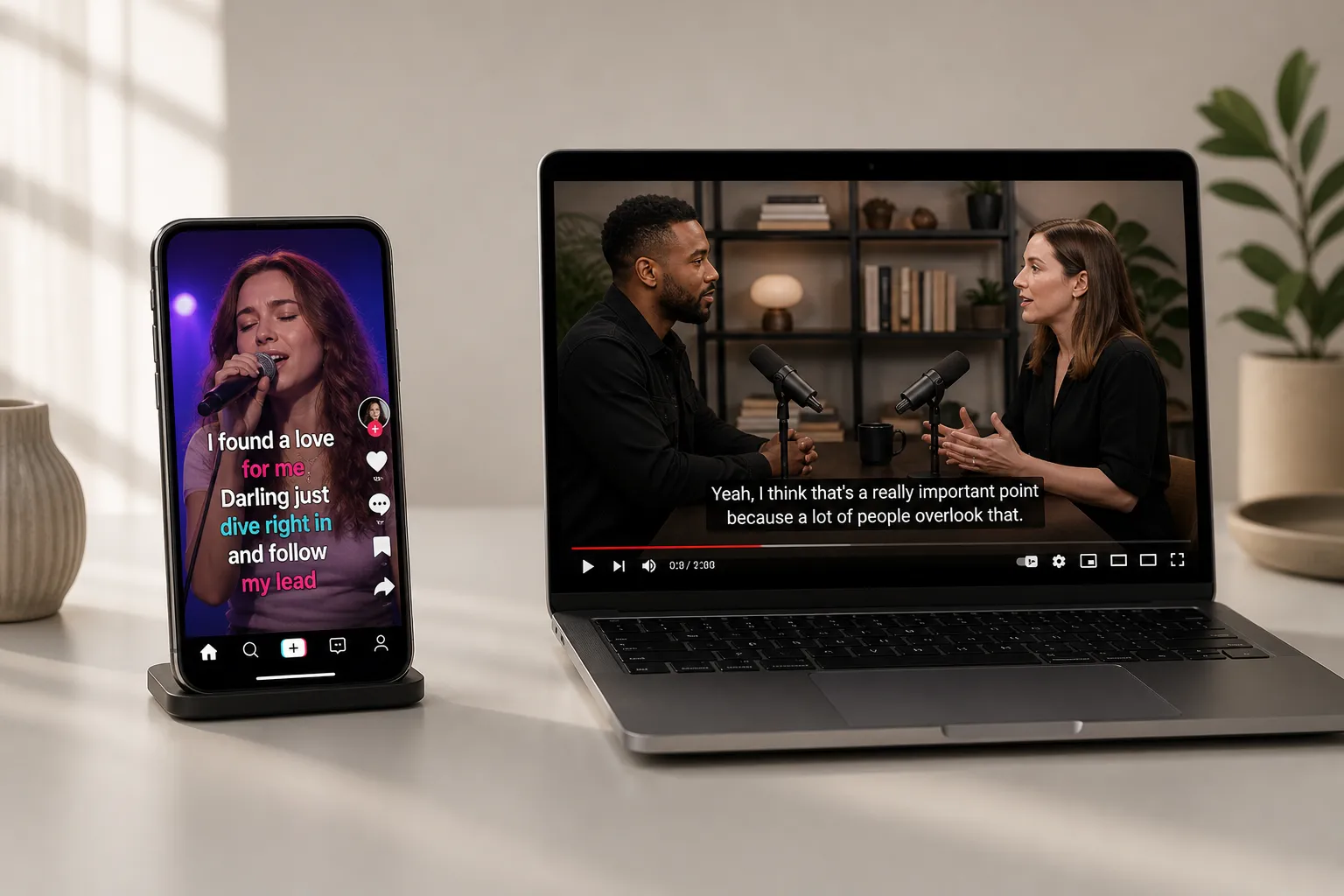
Closed captions are on-screen text for everything a viewer needs when they cannot hear the audio. That means spoken words, speaker changes, and key sounds like [music], [laughter], or [door slams]. They usually live as a separate, toggleable text track.
Subtitles are on-screen text of the spoken dialogue. They are for viewers who can hear but prefer or need written language, often as a translation. Subtitles can be closed (toggleable) or open, where you burn them into the video so they are always visible.
Key differences at a glance
- What they include. Captions include dialogue, non-speech audio, and speaker IDs. Subtitles focus on dialogue.
- Why they exist. Captions provide accessibility for Deaf and hard-of-hearing viewers. Subtitles support language access and global reach.
- How they show up. Captions are usually a separate, toggleable track. Subtitles may be toggleable or burned in as open text.
- File vs pixels. An SRT or VTT file is text a platform can read and index. Burned-in text is baked into the video and cannot be toggled or read by the player.
- Compliance vs growth. Captions are often required in education, government, and broadcast. Subtitles are a growth lever for multilingual audiences.
When to use which
- Use closed captions for tutorials, courses, interviews, and anything on your site or YouTube where accessibility and search matter.
- Use translated subtitles when you want to reach new languages without re-editing.
- Burn text in for short-form feeds that autoplay on mute or on platforms that do not reliably keep caption files attached on reuploads.
Accessibility and quality standards made practical
Captions are most useful when they are accurate, timed well, and easy to read. If you publish public content, align with WCAG guidance to provide captions for prerecorded media and aim for clear, consistent formatting.
What good captioning looks like
- Accurate words. Spell names right, keep jargon consistent, and avoid paraphrasing that changes meaning.
- Clean timing. Show each subtitle for long enough to read, usually 1.0 - 6.0 seconds. Avoid flashing single-word cards unless for emphasis.
- Readable lines. One to two lines, with roughly 32 - 42 characters per line. Break lines at natural phrase boundaries.
- Sound and speakers. Mark [music], [applause], or [phone rings] when it adds context. Use speaker labels if more than one person speaks and it is not obvious who.
- Legible styling. High contrast text over a semi-opaque box or outline. Big enough for mobile. Keep text away from UI elements and the very bottom edge.
For teams in regulated spaces, confirm any required accuracy targets and formatting before you publish. Educational and enterprise platforms may specify max characters per line, minimum on-screen duration, or how to handle profanity and censoring.
SEO, website, and platform impact
Search engines index text, not pixels. When your video has accurate captions and a transcript, crawlers can parse topics, entities, and intent. That raises your odds of ranking for the right queries and can help your page earn rich snippets when paired with a clear title, description, and schema.
Captions also help on-platform discovery. YouTube, TikTok, and Instagram can match user queries against your caption text. Clean timing and readable lines improve retention, which feeds recommendations. If a platform does not support caption files or tends to strip them on reuploads, burned-in subtitles keep your message visible in the feed.
On your own site, place the video near a readable transcript on the same URL. Add basic VideoObject metadata, compress the video or use an optimized player, and make sure captions can be toggled. If you work with a website design company, ask them to keep Core Web Vitals healthy, use semantic HTML, and implement a transcript layout that is easy to scan.
YouTube
- Upload an edited SRT or VTT. Name language codes properly, for example video.en.srt, so YouTube maps them cleanly.
- Keep two lines max and consistent punctuation. Avoid covering lower-third graphics.
- Add translated subtitle tracks for the languages you care about most. Let viewers pick their language.
TikTok
- Use big, high-contrast text that is readable at arm’s length. Word-by-word “karaoke” highlight works well for fast cuts.
- TikTok auto captions are a useful draft. Edit timing and names before posting.
- Burn subtitles into the video when you want the text to survive downloads and reshares.
Instagram and Facebook
- Feeds autoplay on mute. Open subtitles punch through fast. Keep text out of the bottom third where UI sits.
- For longer feed videos, upload an SRT so viewers can toggle captions on or off.
LinkedIn and X
- Many viewers watch without sound at work. Provide closed captions when the platform supports them. Open subtitles are a safe fallback.
- Prefer square or vertical for mobile. Keep captions a bit higher than center to avoid being cropped by UI.
Add and style captions fast with SubtitlesFast
If you want to add subtitles to video online without juggling formats, SubtitlesFast keeps it simple. It combines AI-powered transcription, quick styling, translation, and exports built for social.
What you can do in SubtitlesFast
- AI Subtitles. Auto-transcribe in 50+ languages with word-level timing you can edit in seconds.
- Karaoke Style Subtitles and Captions. Word-by-word highlighting that helps short clips hold attention in silent feeds.
- Subtitle Style Customization. 30+ animated styles plus font, size, color, outline, and background controls.
- Translate Subtitles. Create localized subtitle tracks without re-cutting your edit.
- Burned-In Subtitles. Export open subtitles for platforms that need text baked into the video.
- Change Aspect Ratio. Resize for TikTok, YouTube, Instagram, or X in one click and keep captions in safe areas.
- Timeline Editing. Trim, cut, and rearrange clips while captions stay in sync.
- Add Music. Drop in tracks and keep timing aligned with your captions.
- AI Thumbnail Generator. Produce scroll-stopping covers tailored to each platform.
A quick, repeatable workflow
- Import your clip and run AI Subtitles. Fix names, jargon, and brand terms.
- Pick a style. For short-form, try Karaoke Style with high-contrast colors. For YouTube, use a clean two-line look with consistent casing.
- Translate if needed. Add Spanish, Portuguese, or the languages your analytics highlight.
- Decide on format. Upload a caption file to YouTube, or burn subtitles into video for TikTok and Reels.
- Resize with Change Aspect Ratio, set a thumbnail, and export.
Key takeaways
- Closed captions include dialogue and meaningful sounds for accessibility. Subtitles focus on dialogue and often serve translation.
- Readable, accurate, well-timed text boosts usability, retention, and SEO because platforms can index the words.
- Use caption files when the platform supports them. Burn subtitles into video when you need instant readability in silent feeds.
- On your site, pair the video with a transcript and lean on clean HTML and fast pages so captions actually get seen.
- SubtitlesFast lets you generate, style, translate, and burn subtitles in a workflow built for social video.
Put clear words on screen, and your videos travel further with and without sound.
FAQ
What is the difference between closed captions and subtitles?
Closed captions include dialogue plus non-speech audio and can be toggled on or off. Subtitles focus on spoken dialogue, often as a translation, and may be closed or burned in.
Do captions help with SEO?
Yes. Captions and transcripts give search engines text to index, help platforms match queries to your content, and can improve watch time and retention.
When should I burn subtitles into a video?
Burn subtitles into video when a platform does not support caption files, when you expect many viewers to watch on mute, or when you want consistent readability across reshares.
Is SRT better than VTT for captions?
Both work. SRT is widely supported and simple. VTT supports styling and positioning on some players. Choose the format your platform prefers.
How can I create auto captions for TikTok and YouTube quickly?
Use AI Subtitles in SubtitlesFast to generate text, edit for accuracy, then export a caption file for YouTube or burn subtitles into the video for TikTok.