

Your video will be watched on mute, on a train, in an office, or by someone who cannot hear the audio at all. Do you add closed captions or subtitles? Pick right and you boost accessibility, clarity, and SEO. Pick wrong and viewers bounce.
Quick definitions: Closed captions include spoken words and meaningful non-speech audio like [music], [laughter], or [door slams]. Subtitles show only the spoken dialogue, often translated for viewers who can hear the audio.
What closed captions and subtitles actually mean
Closed captions (CC)
CC are built for accessibility. They assume the viewer may not hear the audio. Good captions include dialogue, speaker labels when voices change, and relevant sound cues, for example [siren wailing], [whispering], [crowd cheering], or [notification chime]. On platforms that support it, viewers can toggle CC on or off. You usually upload a sidecar file such as SRT or WebVTT.
Captions are often required for education, government, and workplace content. Many organizations align with WCAG guidance and regional laws. If you publish public-facing learning content or internal training, treat CC as a default, not a nice-to-have.
Subtitles
Subtitles assume the viewer can hear the audio. They present the spoken words in text and are commonly translated for multilingual audiences. Subtitles do not describe background sounds. They are ideal for international marketing, product demos, and entertainment where you want reach across languages without re-recording voiceover.
Delivery: closed vs open text
- Closed: Upload a sidecar file like SRT or VTT so viewers can toggle text on supported players. YouTube handles this smoothly and supports multiple language tracks.
- Open (burned-in): Render the text into the pixels so it is always visible. Reliable for TikTok, Instagram Reels, Shorts, and ad placements where toggles are limited or ignored.
SubtitlesFast lets you add captions or subtitles in either style. Export SRT or VTT for YouTube, or burn text into the video for social shorts and ads. One project can serve both.
Key differences that affect viewing and reach
- Content: CC include non-speech audio, music cues, and speaker labels when needed. Subtitles stick to spoken words. Example CC: [door opens], JESS: I knew it.
- Purpose: CC center accessibility and compliance. Subtitles center comprehension and translation for people who can hear.
- Control: Closed tracks can be toggled when uploaded as files. Burned-in text cannot be turned off but is guaranteed to display everywhere.
- Styling: Player-rendered CC often use system defaults with limited styling. Burned-in subtitles can be fully branded with fonts, sizing, color, boxes, and even word-by-word karaoke highlights.
- Platform realities: YouTube, Vimeo, and course platforms read caption files well. TikTok and Reels viewers expect on-screen text and many watch on mute, so creators often burn in for consistency.
Why this matters for SEO and performance
Search and discovery: On YouTube, accurate captions and subtitles help the system understand your topic and entities. A clean transcript and human-checked key terms increase your odds of surfacing for relevant searches and in Suggested. Translated subtitle tracks expand discoverability in non-English markets without re-uploading the video.
Retention and engagement: Autoplay with sound off is common across social feeds. On-screen text holds attention, lifts average view duration, and improves completion rates on Shorts and Reels. Higher retention supports the ranking signals that push your content to more people.
Accessibility and watchability: CC make content usable in noisy spaces, quiet offices, and for D/deaf and hard-of-hearing viewers. That increases total addressable audience and reduces drop-off at key moments like product claims or demo steps.
Which to use and when
If accessibility or compliance is required
Choose closed captions. Include speaker labels when voices are ambiguous, non-speech audio cues when they change meaning or mood, and correct casing and punctuation. Upload an SRT or VTT to platforms that support toggling. For feeds where toggles are unreliable, export a burned-in version so no one is locked out.
If you are targeting new languages
Choose subtitles. Keep the lines lean and readable. Provide translated subtitle files on YouTube so viewers can switch languages. For Shorts, TikTok, and Reels, burn in translated lines to guarantee display and to match fast pacing. Use precise language codes (for example en-US, es-419, fr-FR) so platforms route the right track.
If you want a strong brand look
Use styled subtitles. Pick brand fonts and high-contrast backgrounds. For music videos, lyric teasers, and beat-synced edits, karaoke subtitles that highlight each word or syllable can add energy without clutter. SubtitlesFast includes an animated karaoke editor that locks highlights to the audio so timing feels tight.
Platform-specific tips
- YouTube: Upload SRT or VTT for on-off control. Add translated tracks for your top markets. Aim for two lines per card and prioritize keywords early to support search intent.
- TikTok and Reels: Burn in for reliability. Keep text within safe margins so it does not sit under UI buttons. Use short phrases to match jump cuts and hook lines in the first 2 seconds.
- Ads: Burn in to guarantee readability across placements. Keep minimum text size large enough for small screens and test on a phone before launch.
Add, style, translate, and export fast with SubtitlesFast
- Upload your video: Drop MP4, MOV, or WebM. Choose 9:16, 1:1, or 16:9. You can reframe later if needed.
- Auto-captions: Generate precise captions with our AI subtitles generator. You get clean timings out of the box. Fix any word inline, and if a name or product is unusual, add it once and apply changes across the track.
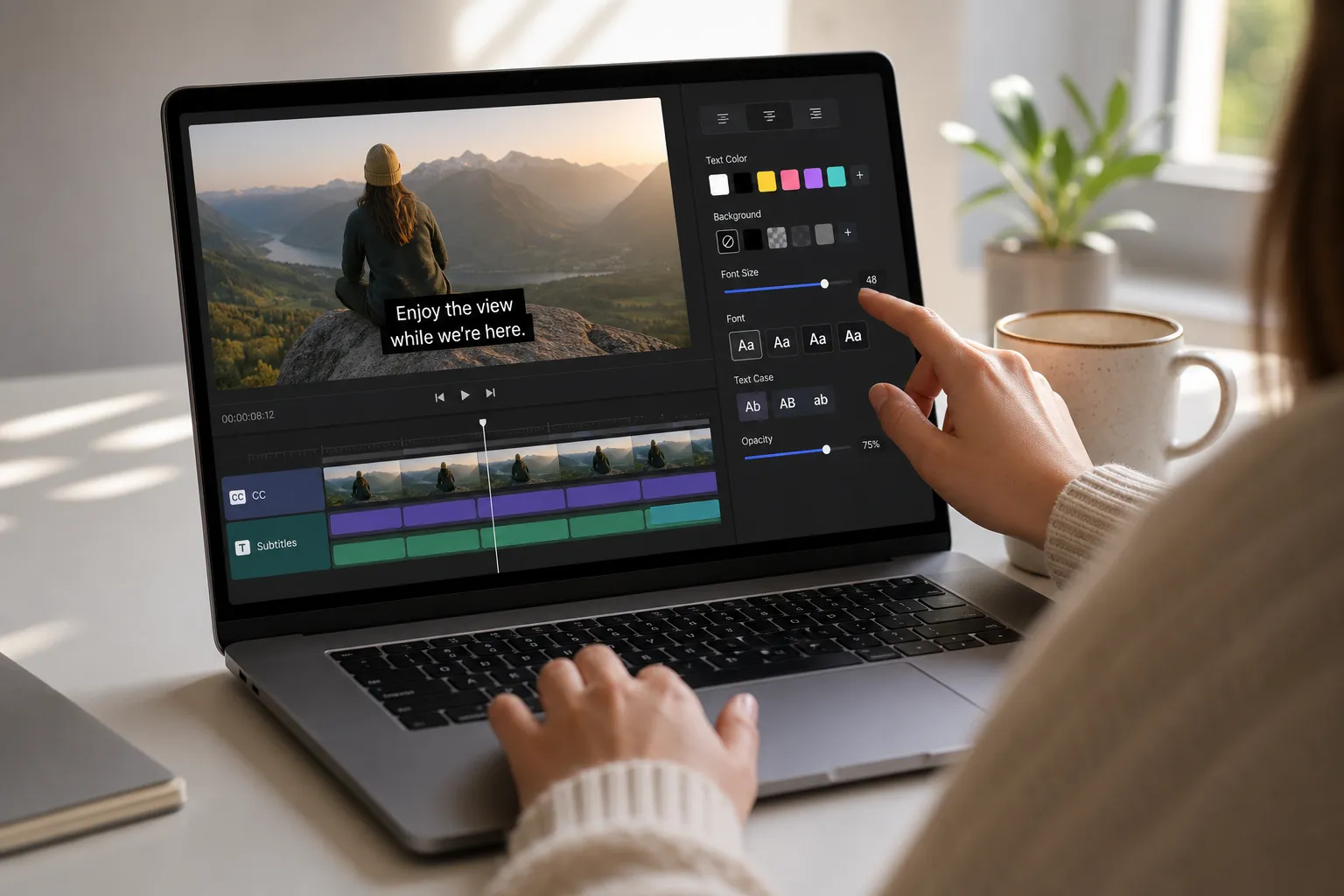
- Style for readability: Choose font, size, weight, colors, shadow, and background boxes. Add animations for karaoke subtitles that highlight words or syllables in sync.
- Translate: Duplicate your track and translate into dozens of languages while keeping timing locked. Export separate language files for YouTube or burn multiple language versions for social in minutes.
- Export: Download SRT or VTT for closed captions. Or burn subtitles into video in one click for social, including vertical 9:16. Exports are tuned for platform specs so you can post faster.
Smart automation keeps the habit
If producing captions feels heavy, you will skip them. Automation is the fix. Outside video, job seekers use AI services that scan listings and send hourly job alerts and even generate tailored documents so they act fast. The same idea applies here. Let AI draft, time, and format your text so you spend minutes polishing, not hours transcribing.
Pro tips for better captions and subtitles
- Use a max of two lines with 32 to 42 characters per line. Break at natural phrase boundaries.
- Target 14 to 17 characters per second and a display time of 1 to 6 seconds per card. Short-form clips benefit from snappier, punchy lines.
- Use speaker labels only when needed. Example: JESS:, NARRATOR:. Avoid over-labeling.
- Describe only meaningful sounds. [wind blowing] is useful if it affects the scene. Skip filler like [breathing] unless it changes the story.
- Maintain contrast. White or yellow text with a subtle box or shadow reads well on mixed footage. Always test on a phone.
- Proof at 1x and 1.5x speed before you publish. Fix overlaps, late entries, and orphaned short cards.
- Name files clearly. Example: product-demo_en-US.srt, product-demo_es-419.srt. Consistent names prevent upload mistakes.
Key takeaways
- Closed captions include non-speech audio and speaker cues. Subtitles focus on spoken words and translation.
- Use CC for accessibility and compliance. Use subtitles to reach new languages or to style text on-screen.
- Captions improve watchability in sound-off environments and can lift retention, which supports SEO on platforms like YouTube.
- Burn in text for Shorts, TikTok, Reels, and ads. Upload SRT or VTT on YouTube for on-off control and multiple languages.
- SubtitlesFast handles both, from auto captions and translations to branded styles, karaoke highlights, and fast exports.
Whether you need CC, translated subtitles, or karaoke-style highlights for a short, SubtitlesFast makes it simple to add, style, and export with precise timing. You focus on the story. We make sure every word lands.