

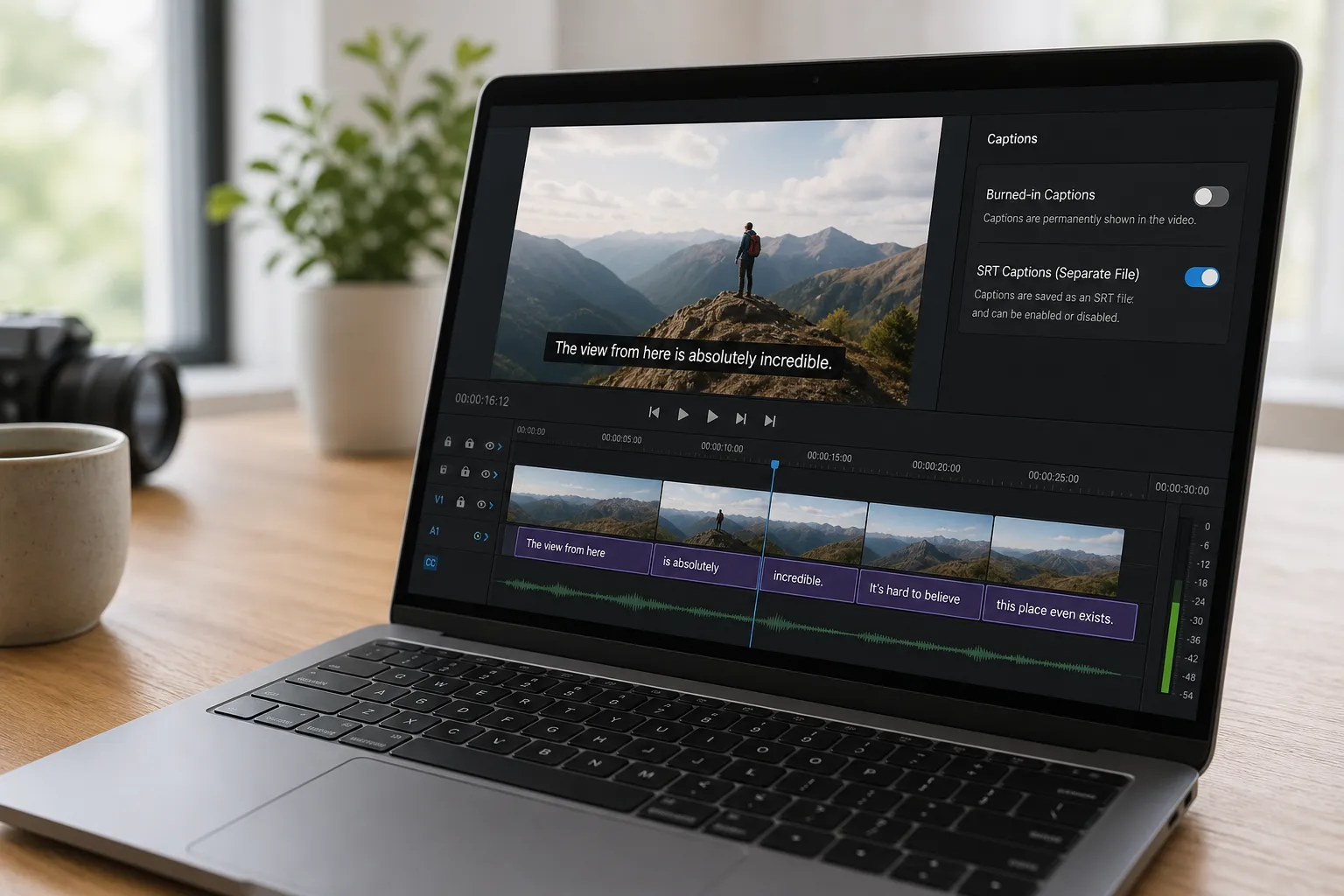
Captions make your videos watchable on mute and accessible to more people. The snag is format. Do you export a hardsub MP4 with captions baked into pixels, or keep subtitles soft as a separate text track like SRT or VTT? Pick wrong and you risk blurry text, larger files, or captions that never appear in the feed.
Hardsub vs soft: the essentials
- Hardsub MP4: Captions are rendered into the video frames. They look identical everywhere, survive platform transcodes, and can match your brand style exactly. They are permanent after export and usually add some bitrate and render time.
- Soft subtitles: Captions are text tracks inside the container or sidecar files like SRT/VTT. Viewers can toggle them. They add almost zero file size, are easy to localize, and are machine readable. Visual styling and placement depend on the player.
As a rule of thumb: hardsubs for social feeds and ad placements where you need guaranteed visibility and brand control. Soft subs for long content, accessibility, and multi-language libraries.
Quality, size, and accessibility
How hardsubs work. When you burn captions, the subtitle text becomes part of each frame. This gives you pixel-level control over font, weight, stroke, background box, and placement. It is ideal for bold, on-brand subtitles, speaker labels, and timed effects like karaoke word highlights. If you later spot a typo or want another language, you must re-render.
How soft subs work. With soft subtitles the player draws text at playback from formats like SRT or WebVTT. You can upload multiple languages, fix typos without touching the video, and let viewers toggle captions. Because they are text, they are readable by search and accessibility tools. The tradeoff is visual variability: some players ignore custom fonts, positions, or colors.
Visual fidelity tips for hardsubs.
- Font size: for 1080x1920 vertical clips, a caption line height around 60–72 px keeps one to two lines legible on mobile. For 1920x1080 landscape, 42–56 px works well on laptops.
- Contrast: use a 2–3 px dark stroke or a semi-opaque background box (70–85% opacity) to keep text readable over busy footage.
- Safe area: keep captions within a 5–7% margin from screen edges so they do not get cropped by UI chrome or platform trims.
- Karaoke timing: pre-render word-by-word highlights as hardsubs. Player-drawn soft subs rarely support per-syllable reveals.
File size and compression. Soft subs barely change file size. Hardsubs add edges and motion the encoder must preserve, which can raise bitrate to keep text sharp. For H.264 exports, try CRF 18–22 for 1080p or set a target bitrate around 8–12 Mbps. For 4K, 20–40 Mbps is typical. Do a quick A/B: export one hardsub cut and one without captions, then check if subtitle edges show banding or ringing on mobile.
Editability and localization. Soft subs win for iteration. Update an SRT, add Spanish, French, and German, and you are done. Hardsubs require a fresh render per language and version. If you publish globally or update scripts after release, keep soft tracks as your master truth and generate hardsub derivatives for specific feeds.
Accessibility and search. Soft subs are machine readable, which helps screen readers, site search, and policy reviews. Hardsubs are pixels and not indexable. A practical approach is to publish an SRT with your MP4 wherever the platform supports it, even if you also post a hardsub cut for social.
Platform-by-platform guidance
Different platforms treat captions differently, and their behavior changes over time. Here is the safest way to choose today.
- TikTok, Reels, Shorts. Mobile feeds default to mute and most viewers never open settings. Use hardsub MP4 for guaranteed readability and style consistency. Keep lines short, 2 lines max, and anchor 5–7% above the bottom to avoid UI overlays. You can still enable the platform’s auto captions as a backup, but rely on hardsubs for look and timing.
- YouTube long-form and livestreams. Prefer soft subtitles for accessibility, search, and multiple languages. Upload accurate SRT or VTT. Consider a separate hardsub teaser or short for social. If you do chaptered explainers, soft subs make later edits painless and keep legacy transcodes intact.
- LinkedIn native video. The feed is often muted, so use a hardsub version to land your hook and CTA at a glance. Also keep an SRT in your library for re-uploads and internal knowledge bases that index text. If you care about scaling posts, this LinkedIn Automation Case Study: 0 to 40 SQLs in 90 Days shows how disciplined LinkedIn content automation compounds reach, and caption format is one lever inside that repeatable system.
- Paid ads. Many ad platforms transcode your file on ingest. Hardsubs preserve style through those pipelines. Test a soft-sub variant only if the placement clearly supports it and you need one asset to serve multiple languages.
- Courses, webinars, internal training. Soft subtitles win. They are searchable, easier to update, and friendlier for compliance. Ship one high-quality master video and export language tracks separately.
- Music videos and lyrics. For karaoke-style timing and highlights, bake captions as hardsubs. Soft subs are fine for plain lyric text but inconsistent for per-word effects.
Compatibility notes. YouTube supports multiple caption tracks and easy toggles. Some social apps offer auto captions but do not make sidecar uploads obvious to viewers. LinkedIn allows caption files on supported uploads, though mobile workflows are more limited. When in doubt, check current specs for your specific ad placement and device mix.
Workflow: from edit to export with SubtitlesFast
SubtitlesFast is a web-based AI video editor that helps you add, translate, style, and burn subtitles with simple editing and fast export to social platforms. Here is a practical setup that covers both formats without extra work:
- Auto-generate a transcript. Import your video and use the AI subtitles generator to create an accurate transcript with speaker labels. Fix names, numbers, and jargon once.
- Style for readability. Apply brand fonts, size, color, stroke, and background. Use a template so all clips stay consistent. Keep two styles on hand: bold for social hardsubs, lighter for soft-sub previews.
- Translate in one pass. Create language variants from the same timeline. SubtitlesFast aligns timings so you do not chase offsets per language.
- Export both ways. One click for a clean hardsub MP4, another for SRT or VTT. Name files with language codes like video-title.en.srt and video-title.es.srt to keep libraries tidy.
- Check legibility at target sizes. Preview vertical 1080x1920, square 1080x1080, and landscape 1920x1080. Nudge positions to avoid platform UI safe zones.
- Batch and schedule. If you ship series content, batch-export hardsubs for social and soft subs for YouTube, then queue posts so every channel gets the right format on time.
If your brand look matters most, bake the captions. If editability and search matter most, ship soft subs. With both exports ready, you do not have to choose until you publish.
Key takeaways
- Use hardsub MP4 when you need guaranteed visibility, brand styling, and timing effects.
- Use soft subtitles when you need searchability, toggles, and fast localization.
- Expect larger files and re-renders with hardsubs; soft subs add almost no size.
- Match the format to the platform: hardsubs for short social, soft subs for long-form.
- Keep both in your toolkit and export the right one per channel and campaign goal.
There is no single best format. Short, stylized social clips benefit from hardsubs. Long content and multi-language catalogs benefit from soft subs. Generate accurate captions once in SubtitlesFast, style them, then export a hardsub MP4 for social and an SRT or VTT for platforms that support soft tracks. Each channel gets the right format without extra lift.