

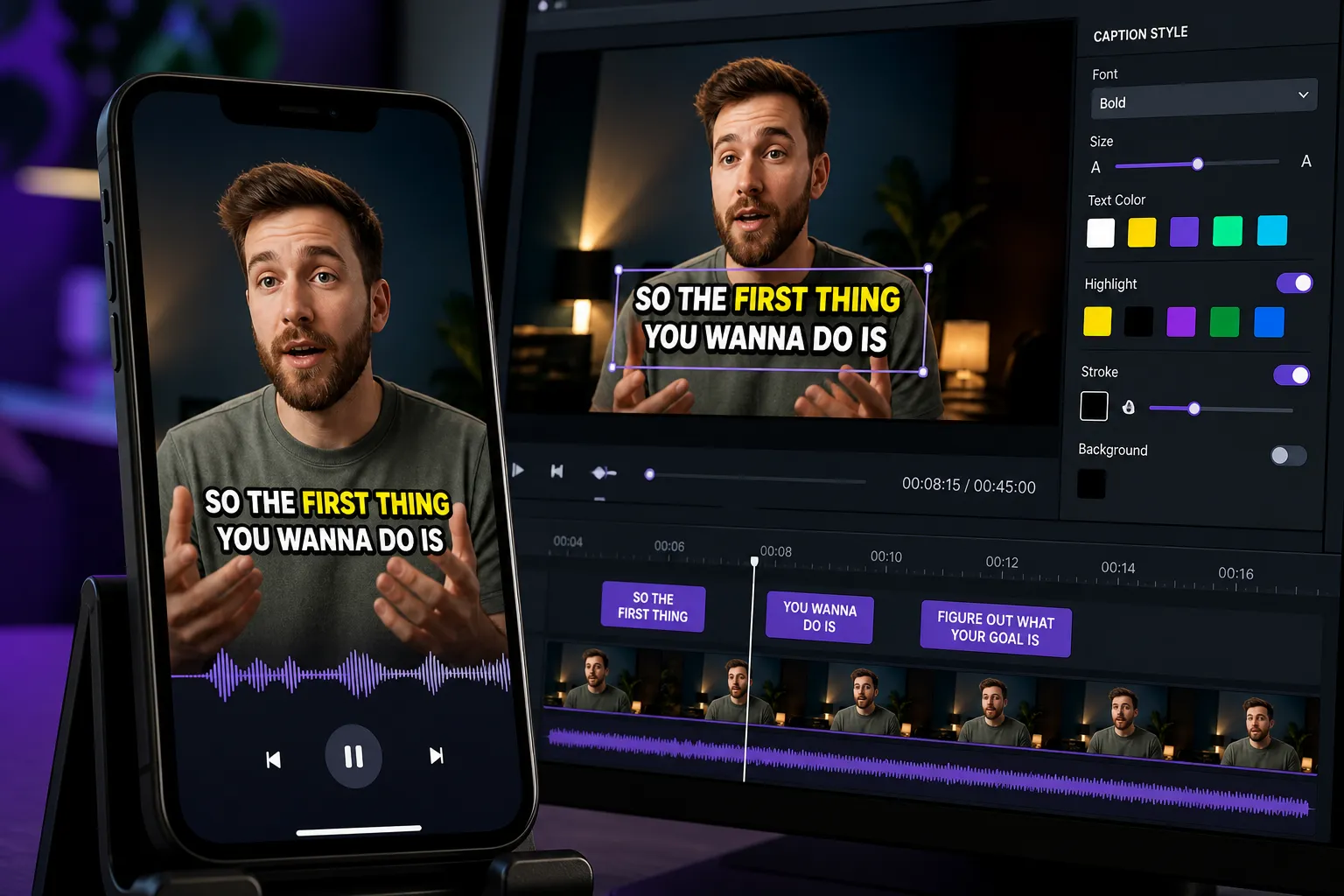
You are about to add captions, but two options behave very differently once your video hits the feed. Choose right, and your words appear everywhere, styled the way you want, with no viewer setup. Choose wrong, and captions vanish on upload, look off-brand, or break when the platform compresses your file.
Hardsub vs softsub at a glance
| Criteria | Hardsub | Softsub |
|---|---|---|
| What it is | Subtitles burned into the video pixels | Separate caption track or file, rendered by the player |
| Viewer can turn off | No | Yes |
| Style control | Full creative control, consistent everywhere | Limited by each player’s styling rules |
| Edit after publishing | Requires a new export | Update the caption file or track |
| Multi-language in one upload | Requires separate video versions | Multiple tracks in one video supported by many players |
| File size impact | Slightly larger due to text baked into frames | Minimal change, caption file is tiny |
| Best for | Social feeds, ads, Shorts, Reels, cross-platform sharing | YouTube long-form, training, OTT, internal platforms |
| Risk | Typos mean a re-export | Some platforms ignore or strip caption files |
In short, hardsubs guarantee visibility and design. Softsubs unlock toggles, search, and multiple languages on players that support them.
Where each wins in the real world
Social shorts: TikTok, Reels, Shorts
- Pick hardsubs for anything in a vertical feed. External SRT or VTT files are not widely respected in uploads, and behavior varies by device. Hardsubs keep your words on-screen, even when the app adds stickers, crops, or compresses.
- Style to stop the scroll. Big, high-contrast text, two lines max, and animated karaoke highlights help retention. With hardsubs you control fonts, placement, and effects instead of relying on each app’s default look.
YouTube long-form
- Use softsubs for lectures, reviews, and podcasts. YouTube supports SRT and VTT, lets viewers toggle captions, switch languages, and search transcripts. You can also correct typos after publishing without re-exporting the video.
- Shorts are different. If you care about brand styling on Shorts, burn in your captions. They will survive compression and stay legible on small screens.
Training, courses, and compliance
- Softsubs fit updates. When policy text or UI labels change, swap the caption file. Your LMS or internal player can offer multiple languages in one video and let users adjust caption size or background.
- Accessibility controls. Many players allow viewers to tweak text size, color, or background for readability. Hardsubs are fixed and cannot adapt to user preferences.
International reach
- Softsubs let one upload carry many languages on platforms that support track switching.
- Hardsubs work best on social. Export one version per language so the correct captions appear without a toggle.
Brand and motion design
- Hardsubs give full creative control: custom fonts, animated word reveals, outlines, and drop shadows that match your identity.
- Softsubs follow player rules. On many platforms you cannot set brand fonts or exact kerning, so the look can feel generic.
Compatibility and file formats you will meet
Softsubs depend on the player. Here is what to expect and which files to prepare.
- TikTok and Instagram Reels: Rely on hardsubs for creator uploads. You can also use each app’s auto captions, but you will not get brand fonts or precise layout.
- YouTube: Upload SRT or VTT for long-form. Transcripts are searchable and user-togglable. For Shorts or heavy brand styling, hardsubs keep the exact look.
- X and most feed-style platforms: Caption file support is inconsistent. Hardsubs are the reliable path.
- Web apps and custom players: Great place for softsubs. HTML5 players read VTT, many also accept SRT. If you are building your own platform, a Nuxt SaaS starter kit can cover auth, payments, i18n, and admin so you can focus on the video UX.
Common formats:
- SRT: Simple, universal, uses hours:minutes:seconds,milliseconds. Easy to edit in a text editor.
- VTT: Designed for the web. Similar to SRT, with support for positioning and better browser compatibility.
- ASS/SSA: Advanced styling. Useful for local playback, but many web players ignore its effects. If you need guaranteed styling across platforms, use hardsubs instead.
File size note: hardsubs add a small overhead because the text becomes pixels. On typical short videos, expect only a few extra megabytes. Softsub files are tiny, often under 100 KB.
How to hardsub quickly online with SubtitlesFast
Need captions that look right on every platform and survive compression? SubtitlesFast centers on hardsubs and gives you editing tools to finish a post in one sitting.
- Auto-transcribe with AI Subtitles. SubtitlesFast acts as an AI subtitles generator that automatically transcribes your audio in 50+ languages with word-level highlighting. Perfect when you need auto captions for TikTok and YouTube and do not want to type every line.
- Style your captions. Pick from 30+ animated looks, adjust fonts, colors, and outlines, or switch on Karaoke Style Subtitles so words light up in sync.
- Translate if needed. Use Translate Subtitles to create language-specific versions for local audiences. For social feeds, export one version per language.
- Edit the video on a simple timeline. Trim, cut, and rearrange clips. Captions stay locked to the right words after changes.
- Set the right canvas. Choose 9:16 for TikTok and Reels, 1:1 for square feeds, or 16:9 for YouTube. Keep captions inside safe margins so UI chrome does not cover them.
- Add the finishing touches. Add Music inside the editor if your clip needs a soundtrack. Generate an eye-catching frame with the AI Thumbnail Generator to match your caption style.
- Export with Burned-In Subtitles. Finish with Burned-In Subtitles so your styled text becomes part of the video image. This guarantees the look and readability you designed no matter where the clip plays.
Practical tips for clean results:
- Legibility first: Use high contrast, add a subtle outline or shadow, and target two lines max, 32 - 42 characters per line. Aim for a font size that reads at arm’s length on a phone.
- Keep a master transcript: Fix names and jargon once, then reuse across languages and edits.
- Mind the safe area: Avoid edges. Leave comfortable padding from the top and bottom so app UI and progress bars do not cover text.
- QC with sound off: Watch your final export on a phone, muted. If you can follow every beat of the story, your audience can too.
Because your captions are baked in, they will survive platform compression and still look clean on mobile screens. If brand styling is part of your hook, or you want karaoke captions that track the beat, hardsubs preserve that intent end to end.
Key takeaways
- Hardsubs are the safest choice for social and cross-platform playback. What you export is what viewers see.
- Softsubs are better for long-form libraries where viewers toggle captions, switch languages, and search transcripts.
- On platforms that vary or strip caption files, hardsubs prevent surprises and keep your brand look intact.
- SubtitlesFast lets you auto-transcribe, style, translate, and export Burned-In Subtitles fast, with karaoke options and simple timeline edits.
FAQ
What is the difference between hardsub and softsub?
Hardsubs are subtitles burned into the video image, while softsubs are separate caption files or tracks that the player renders and viewers can toggle.
When should I use hardsubs for social media?
Use hardsubs for TikTok, Reels, Shorts, and cross-posting. They guarantee captions display and keep your styling consistent across devices and apps.
Do hardsubs affect video quality or file size?
Hardsubs add text to the image, which can slightly increase file size. With a good export, quality remains clear and readable on mobile.
Can I do karaoke style captions with hardsubs?
Yes. With SubtitlesFast you can apply Karaoke Style Subtitles and animated styles, then export Burned-In Subtitles so the effect appears everywhere.
How do I add subtitles to video online fast?
Use an AI subtitles generator to transcribe, style the captions, adjust the aspect ratio, then export with burned-in subtitles for instant posting.