

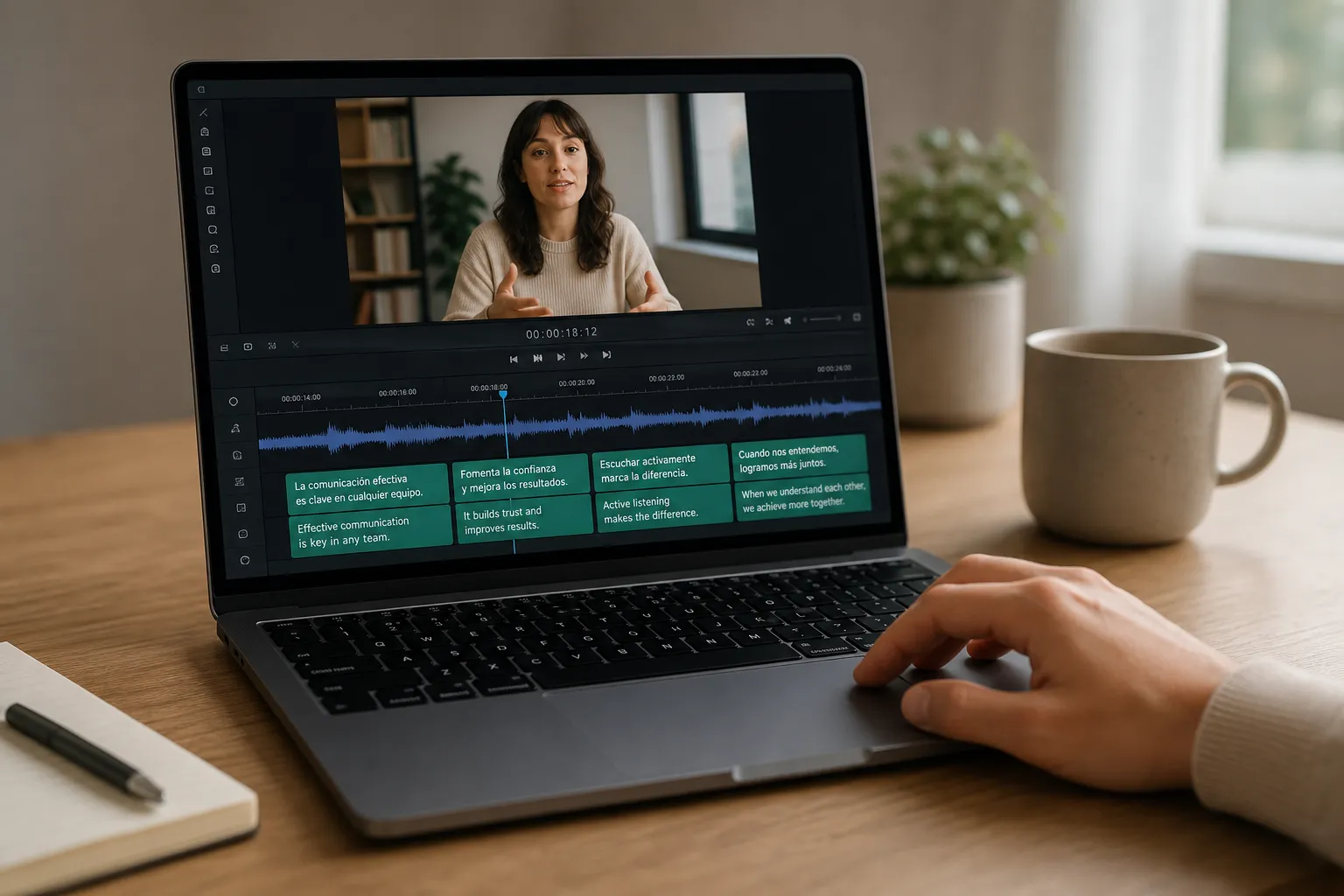
Translating captions is easy. Keeping perfect timing is the hard part. If you have spent hours fixing overlaps and jittery line breaks after a translation pass, this workflow keeps every timecode right where it belongs.
Below is a clean, repeatable process in SubtitlesFast that preserves timing, respects reading speed, and gets you to export faster across YouTube, TikTok, and everything in between.
1. Prepare rock-solid source captions
Great translations start with clean source captions. Import an existing SRT, VTT, or ASS file, or use SubtitlesFast as an AI subtitles generator to create accurate captions from your audio before you translate. The goal here is to lock timing quality so translation only swaps text.
What to check before you translate
- Timing quality. Play your video and make sure entries start on the first phoneme and end on the last. Aim for minimum duration ~1.0 s, max ~6.0 s, and a small gap (100–250 ms) between subtitles. Fix early-ins and late-outs now so you never re-time later.
- Readable line length. Keep to two lines max, roughly 30–35 characters per line. Many languages expand by 20–35% (German and Russian commonly do), so tighter English lines prevent overflow after translation.
- Segment at natural breaks. Split at clause or sentence boundaries. Avoid splitting names, particles, or verb phrases. Good segmentation survives translation without timecode edits.
- Consistent casing and punctuation. Capitalize proper nouns, end sentences with periods, and standardize quotes and ellipses. Clean input yields cleaner output in every language.
- On-screen text and untranslatables. Note brand names, product SKUs, hashtags, and UI labels that should stay as-is. Keep numbers tight to their units (e.g., 5 km, not 5 on one line and km on the next).
Starting from scratch? Upload your video and add subtitles to video online with SubtitlesFast. Let it auto-transcribe, then do a quick pass to tighten timings and fix obvious errors before you translate.
2. Translate without breaking timecodes
Once the source is clean, translate directly in SubtitlesFast. The platform locks your original timecodes and replaces only the text, so every entry stays in sync across languages.
- Choose target languages. Pick one or many. All tracks can share the same source timings.
- Auto translate. Generate a first draft in seconds. Time-in and time-out values are preserved verbatim.
- Edit for clarity and reading speed. Play the video while you tweak phrasing. Keep roughly 12–17 characters per second or 140–180 words per minute. Shorten long sentences into two natural clauses when needed.
- Fix line breaks, not timecodes. Improve scan-ability by breaking lines at phrase boundaries. Keep prepositions, names, and measures on the same line. If a caption still feels crowded, split the subtitle into two segments in the same timing window rather than sliding timecodes.
- Localize idioms and tone. Replace literal phrasing with what a native would actually say. Match formality and brand voice. Keep jokes and politeness markers culturally correct.
Pitfalls to avoid
- Editing by re-timing. Do not slide timecodes to fit longer text. Edit wording or split the caption. Timing drift creates cascading sync issues down the timeline.
- Overlong lines after expansion. When languages blow past 35 characters per line, add a smart line break or split the subtitle. Shrinking font later is not a fix.
- Ignoring reading speed. If viewers cannot read it comfortably, accuracy does not matter. Trim filler, prefer shorter synonyms, and avoid stacking complex clauses.
Want sing-along effects? SubtitlesFast includes an animated karaoke subtitles editor. Convert any line to karaoke style captions with word or syllable highlights without touching base timecodes. This is handy for music videos, reels, and training content that benefits from per-word emphasis.
3. Pick the right caption format and settings
Your format decides how much styling you can carry into the final video and how different platforms render your captions. SubtitlesFast lets you switch between formats at export while keeping timings and edits intact.
When to use SRT
- Maximum compatibility. SRT works almost everywhere. It stores start and end times with simple text.
- Platform styling. YouTube, Facebook, and many players let viewers choose font and size. Timing stays the same, but look and feel follow platform defaults.
- Simple translation passes. If you do not need color, positioning, or karaoke effects, SRT is perfect.
When to use ASS
- Advanced styling. ASS supports fonts, colors, outlines, drop shadows, positioning, and karaoke effects with smooth word-by-word highlights for true karaoke subtitles.
- Consistent brand look. Lock your style across players instead of relying on platform defaults.
- Vertical video control. Place captions away from UI elements in 9:16 layouts and fine-tune safe areas.
Encoding and sync tips
- Export with UTF-8. Preserve non-Latin scripts and diacritics. This avoids mojibake on upload.
- Mind frame rates in other tools. SRT is time based, not frame based, so you are safe in SubtitlesFast. If you pass files into frame-based tools, verify the frame rate so nothing drifts.
- Trim awareness. If you trimmed video after captioning, re-check early cues. A one-second offset at the start is easy to miss and painful to debug later.
4. Review and publish fast
Machine translation gets you most of the way. The final polish is tone and nuance. A short native or near-native review protects your brand and preserves timing.
A simple QA checklist
- Meaning and tone. Replace literal phrases with natural ones. Keep formal or informal address consistent across the track.
- Names, numbers, and units. Confirm spelling, decimal separators, and measurement conventions. Keep numbers glued to their units.
- Line breaks. Avoid breaking articles and prepositions from their objects or splitting names across lines.
- On-screen text. Translate supers, lower thirds, and UI labels if they matter to understanding.
- Reading speed. Watch playback and mark anything rushed. Split or edit as needed without moving timecodes.
Collect feedback by sharing a preview or exporting an SRT for mark-up. Apply edits in SubtitlesFast so timing and structure stay the single source of truth across all languages.
Export for each platform
- YouTube. Upload one SRT per language. YouTube maps timing automatically and lets viewers switch languages.
- Facebook and LinkedIn. Upload SRT with correct language codes in filenames so platforms label them properly.
- TikTok and Shorts. Some accounts support SRT uploads. Where supported, soft subs are crisper than in-app captions and remain searchable.
If you prefer platform-generated auto captions for TikTok and YouTube, you can still use SubtitlesFast to create polished translations, then compare against platform output. Your version usually reads better and stays on brand.
Burned-in subtitles for universal playback
When a platform does not accept caption files or you want a locked brand style, choose to burn subtitles into video. SubtitlesFast renders translated captions into the frames at export. This is ideal for Instagram Reels, stories, embedded players with no caption button, and ads where you need guaranteed readability.
Styling tips that travel well
- High contrast. White text with a semi-opaque black box or a 2 px outline reads well on mixed backgrounds.
- Safe areas. Keep subtitles clear of UI elements, especially in 9:16. Test on a phone before shipping.
- Consistent hierarchy. Use color or italics sparingly for speakers, foreign words, or emphasis. For music videos, try subtle karaoke style captions to guide rhythm.
Key takeaways
- Lock timing by cleaning the source before you translate. Edit words and line breaks, not timecodes.
- Use SubtitlesFast to auto-translate while preserving timecodes, then fine-tune for clarity and reading speed.
- Export SRT for compatibility or ASS for styling and karaoke effects. Switch formats at export without losing edits.
- Run a quick native QA and publish as soft subs where supported, or hardsubs when you need guaranteed style control.
Follow this workflow once and you will have a reliable, fast way to translate subtitles online for every video in your queue. Your viewers get clear captions in their language. You keep timing perfect and publishing simple.