

People say it all the time: just Google Translate it. That shortcut can help or it can wreck your video. Here is what Google Translate actually is and a practical way to use AI translations to ship clean, readable subtitles without blowing timing or tone.
Yes. Google Translate is AI, and it learns from data
Google Translate uses modern neural machine translation models trained on massive bilingual text. The model predicts the next word in the target language based on context, then updates over time as it sees more examples. It is strong on common phrases and sentence structure, and it handles many language pairs fast.
Where it can miss: nuance, culture, humor, and domain terms. A few patterns to watch:
- Named entities. Product names, people, and places may get translated or transliterated when they should not. Lock these down.
- Regional meaning. Words shift by country. Spanish coger is harmless in Spain but vulgar in parts of Latin America. English chips mean different things in the US and UK.
- Formality and tone. Japanese honorifics or French tu vs vous can land wrong without context.
- Polysemy. Render can mean produce, melt fat, or export a video. Context decides, not the dictionary entry.
For subtitles, accuracy is only half the job. Timing, line length, and readability on a small screen are what make viewers stay.
Where AI translation shines, and where it still struggles
- Shines: How-tos, product demos, listicles, newsy explainers, and any script with repeatable structure. It is ideal for a quick first draft you can tidy up.
- Struggles: Jokes, idioms, slang, and poetry. Break a leg should not turn into fracture your limb. Also watch technical jargon without context and mixed-language wordplay.
- Subtitles add constraints: Even a decent translation fails if viewers cannot read it in time. If lines run long or pop too fast, people bail.
A practical subtitle workflow that uses AI the right way
This process works for talking-head shorts, tutorials, and podcast clips. It keeps the speed of AI and the polish of human review.
-
Prep your script, glossary, and notes.
Start with the spoken script or an auto transcript. Make a mini-glossary: product names, brand terms, measurements, and phrases you never translate. Add a line on tone and audience so you can spot tone misses later.
-
Decide what appears on screen.
Subtitles are not a transcript. Cut filler and stutters. Keep to two lines max, ideally 28–42 characters per line. Break lines at natural phrase points and keep names intact on one line when possible.
-
Create captions with an AI subtitles generator.
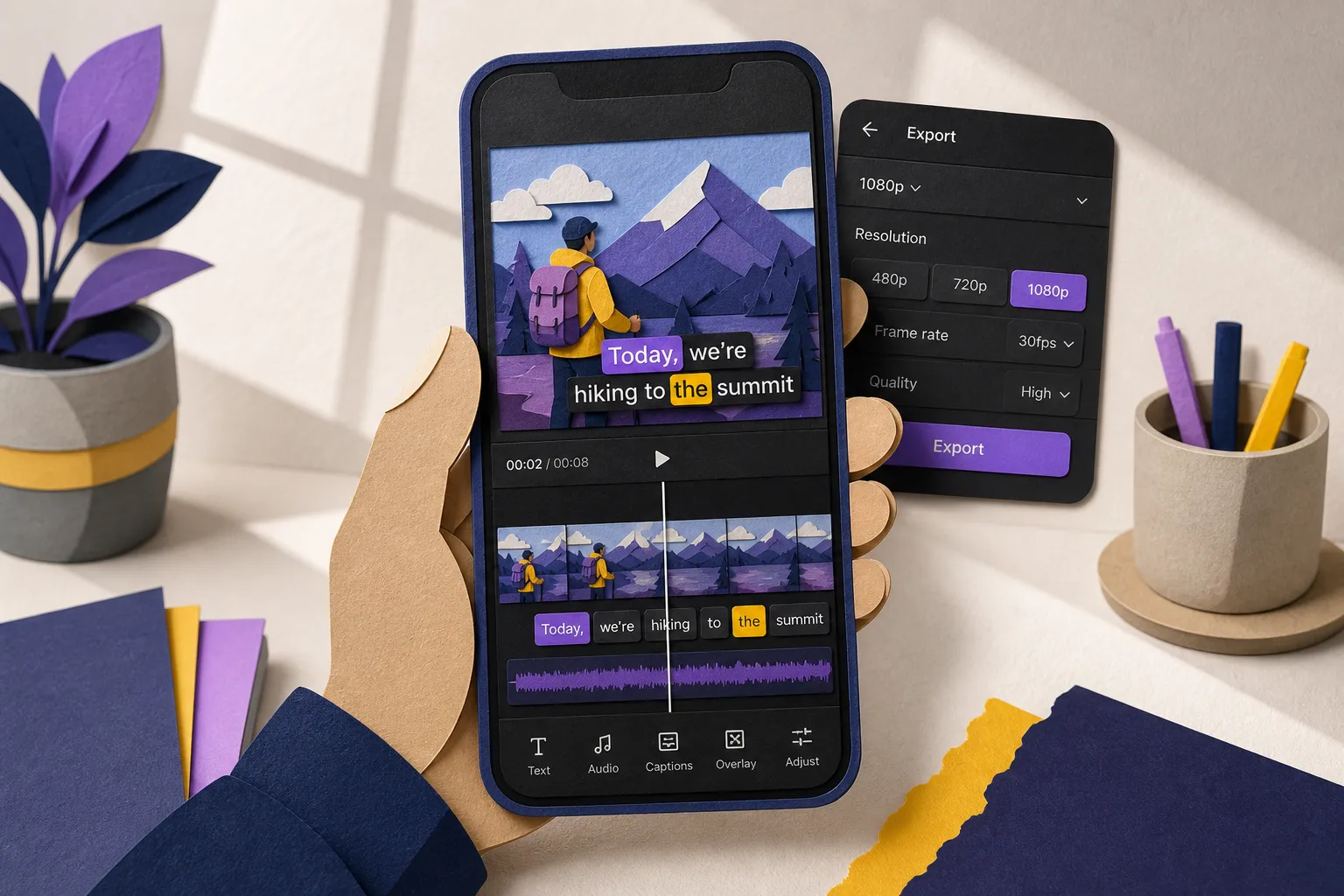
Use AI Subtitles to auto-transcribe your video into subtitles in 50+ languages with word-level highlighting. Then use Timeline Editing to nudge in and out points so each line appears as the words are spoken.
Timing rules that work on mobile: 1.0–6.0 seconds per subtitle, target ~2.0–3.5 seconds. Keep reading speed under ~17 characters per second. Merge very short lines and split long ones.
-
Translate your subtitles for new audiences.
With Translate Subtitles, convert captions inside the same project. Replace regional slang with plain phrases that translate cleanly. Confirm that glossary terms and proper nouns remain unchanged. Watch for punctuation and spacing rules that differ by language.
-
Do a quick quality pass in the target language.
Scan the translated track for: wrong sense of a key term, tone mismatch, broken line breaks, and clipped sentences. If you are not fluent, spot-check risky lines by back-translating them or asking a native speaker to review 10–15 tricky spots.
-
Style for readability and brand match.
Use Subtitle Style Customization to set font, size, color, stroke or background box, and animation. On bright footage, a thin dark stroke often beats a heavy box. Keep a single style per language so every cut feels consistent.
For high-energy shorts, try Karaoke Style Subtitles or Karaoke Style Captions so each word highlights as it is spoken. Use it to emphasize hooks and calls to action, not every single line.
-
Format for every platform.
Use Change Aspect Ratio for 9:16 vertical (TikTok, Reels, Shorts), 1:1 square for feed, or 16:9 for YouTube. Keep captions inside safe areas: avoid the top 15% and bottom 20% of frame in vertical so native UI does not cover text.
-
Burn subtitles into video.
Use Burned-In Subtitles to export with captions permanently embedded. This locks in your style across apps and devices. If you also need sidecar files, export SRT or VTT and store them with the project so you can re-upload without retyping.
-
Add polish that actually helps watch time.
Use Add Music to lay a light beat under voiceover. Keep it 8–12 dB below dialogue and test on phone speakers. Create a cover with the AI Thumbnail Generator so each upload has a sharp, on-brand preview that stops the scroll.
-
Export and test on a phone.
Watch once with sound off. If you need to reread, lines are too long or too fast. If you lose where you are, timing drifts. Fix before posting.
Common pitfalls that sink AI subtitles
- Trusting raw machine output. AI gets you close, not done. Review every translated line that includes a brand term, number, or idiom.
- Overloading frames. Long sentences, emojis stacked in a row, and busy backgrounds kill readability. Keep two lines, high contrast, and consistent positioning.
- Ignoring timing. If word highlights trail the voice, viewers feel it. Fix early-late lines on the timeline and keep gaps between captions under ~150 ms.
- Forgetting safe areas. Platform UI covers edges and captions. Keep text inside a central box and away from profile pics, like buttons, and progress bars.
- Inconsistent style across languages. Use the same font, size rules, and motion so Spanish, French, and English versions look like one brand.
- Relying on platform captions only. Native tools vary by device and region. Burn subtitles into the video if you want the same look everywhere.
Publish, then make it discoverable
Post your subtitled video to TikTok, YouTube, Instagram, and X. In descriptions, write a one-sentence hook in the target language and localize hashtags. On your site, add a short page with the embed, transcript, and a summary in the target language so the content can rank and serve as a linkable destination.
If you want the page to get indexed and pull traffic without manual grunt work, an SEO automation tool can write supporting posts, secure dofollow backlinks, and fix indexing and technical issues so your content shows up on Google and in AI answers.
Key takeaways
- Google Translate is AI. It is fast and useful but still needs human review.
- Readable subtitles beat perfect wording. Focus on timing, line breaks, and contrast.
- Use AI Subtitles, Translate Subtitles, consistent styling, and burned-in exports to move fast and keep a unified look.
- Karaoke-style highlights work best for hooks and CTAs, not every line.
- Publish natively, keep safe areas, and pair each upload with a transcripted page for search and accessibility.