

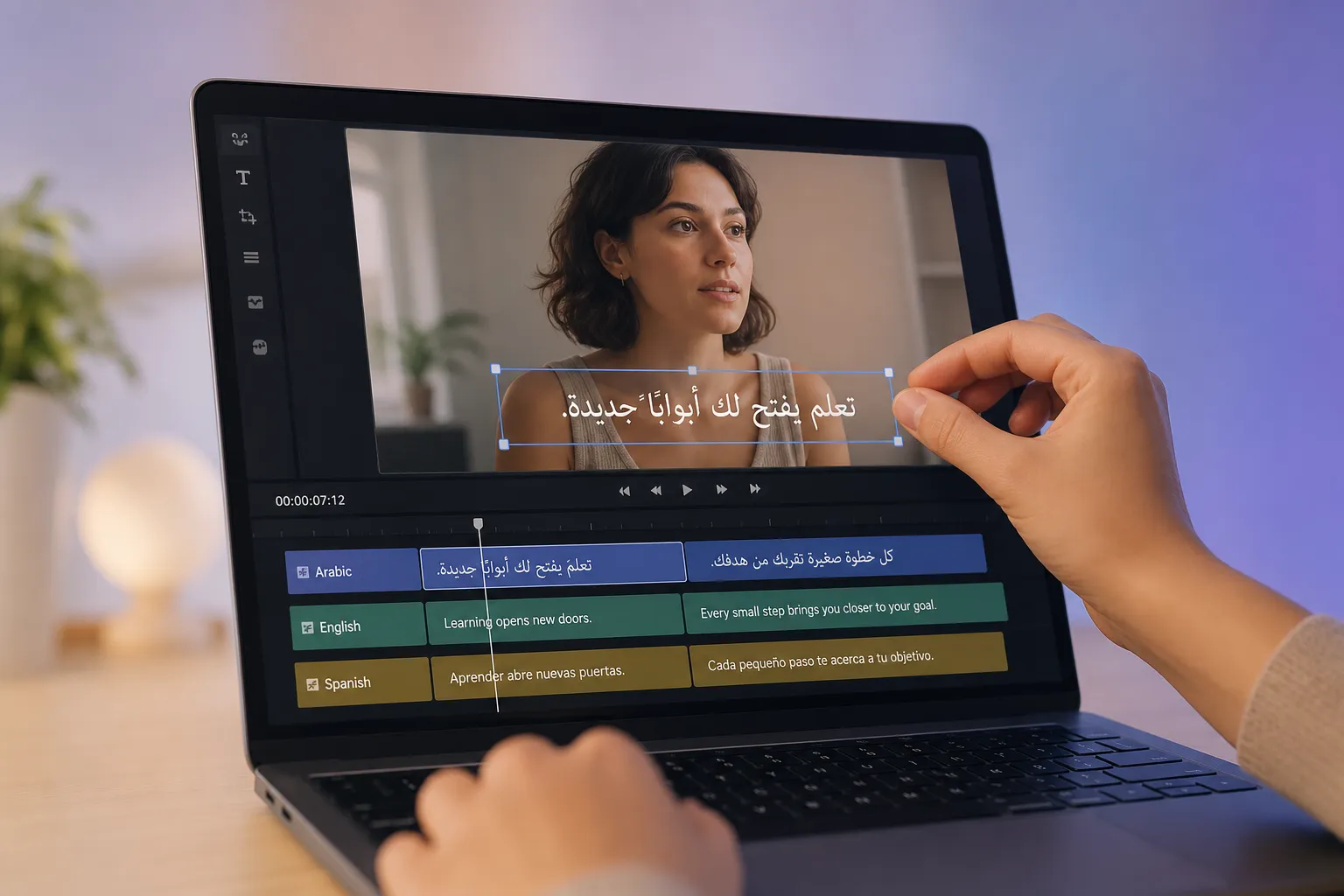
One caption file in English will not carry a global audience. Multilingual subtitles increase watch time, completion, and conversions without reshoots. The win comes from three things: choosing the right locales, locking timing and readability, and running a workflow that scales to every platform.
Prioritize the right locales and variants
Start with data, not guesses. Use analytics to find where you already have traction and what language your viewers prefer.
- YouTube: Geography, subtitles usage, and audience language in Advanced Mode. Look for countries with high watch time and low completion where language could be the blocker.
- Instagram and TikTok: Audience cities and countries in Insights. Scan comments and DMs for recurring non-English requests.
- Support and sales: Tickets, refunds, and chat transcripts reveal the languages buyers use when they need help.
Spanish is not one size fits all. Mexican, Argentinian, Colombian, and Caribbean Spanish differ in vocabulary and tone. If ecommerce is central to your business, software that reflects regional buying signals helps you prioritize. For example, software for Mercado Libre sellers highlights how vital Spanish-speaking audiences are by country as it automates orders, messages, inventory, and CFDI invoices across the marketplace.
Pick three priority locales first. For a North and Latin America mix that often means US English, Mexican Spanish, and Brazilian Portuguese. Add more once the workflow is smooth.
Lock timing and reading pace before you translate
Great translations fail if the timing is off. Build a clean source subtitle file, then reuse its timecodes for every language.
- Formats: Create an SRT or WebVTT with accurate in and out points. Keep a single master timeline.
- Rhythm: Snap entries to speech, scene cuts, and beats. Avoid cards that pop on and off in under 0.8 s. Cap most cards at 6 s.
- Reading speed: A safe range is 15–20 characters per second for Latin scripts. Languages like German often expand 10–30%, so compress wording to protect pace. For CJK and RTL scripts, allow more time per card rather than squeezing more text.
- Line length: Target about 32–42 characters per line, maximum two lines. Never split names, figures, or dates. Keep verbs with their objects.
- Line breaks: Break on sense units. If a sentence is long, split it across two or three cards so each is scannable.
- Punctuation: Use punctuation to guide cadence. Prefer periods to ellipses unless the speaker trails off. Mark speaker changes with a dash or the speaker’s name if clarity is an issue.
Do one human pass on starts and stops even if you use an ai subtitles generator. Ten minutes here pays off across every language you publish.
Use an AI workflow that actually scales
If your team is small, your stack matters. With SubtitlesFast, you can add subtitles to video online, translate to multiple languages, and edit in a clean browser interface. Set brand styling once, pick safe fonts per script, and export fast to social without round-tripping to desktop software.
- Translate at scale: Auto-translate drafts for dozens of locales, then lock glossary terms so brand names and legal phrases do not change. Apply regional variants like Mexican vs European Spanish per track.
- Editing speed: Inline edits ripple through your master timeline, so timing stays consistent across languages. Snap to cut points and waveforms for precise adjustments.
- Design control: Assign per-language fonts with full script coverage. Good cross-script options include Noto, Source Han, and IBM Plex families. Add subtle stroke and shadow so text stays legible over bright footage.
- Platform outputs: Generate auto captions for TikTok and YouTube with platform-ready 9:16, 1:1, and 16:9 versions. Export SRT, VTT, or MP4 with subtitles burned in when you must burn subtitles into video for channels that do not support closed captions.
Publishing music or lyric-driven posts? SubtitlesFast includes an animated karaoke subtitles editor so you can build smooth, syllable-timed karaoke style captions. That keeps karaoke subtitles readable and on-beat across languages without rebuilding effects for every version.
Design for script systems and protect brand terms
Scripts behave differently. Treat RTL, CJK, and Latin with respect so subtitles feel native, not translated.
- Right-to-left (RTL): Arabic and Hebrew read right to left, but numbers, URLs, and many brand names remain left to right. Set text direction so punctuation lands correctly and mixed scripts do not scramble. Choose fonts with full shaping and diacritic support. Give a bit more on-screen time because many viewers read RTL more slowly when switching from Latin UI.
- CJK considerations: Chinese, Japanese, and Korean pack more meaning per character. Keep cards visually larger and lines shorter. Avoid tiny sizes that thin out strokes. Prefer centered alignment unless local conventions dictate otherwise.
- Figures and formats: Match local formats for thousands separators, decimals, and dates. For example, 1,234.56 vs 1.234,56 and MM/DD/YYYY vs DD/MM/YYYY. Be consistent within a locale.
Not every term should be translated. Create a mini glossary before you scale:
- Do-not-translate terms: Product names, model numbers, and trademarks.
- Transliteration rules: Decide how to write names in non-Latin scripts.
- Preferred variants: “Cart” vs “basket,” “mobile” vs “cell phone,” “email” vs “e-mail.” Lock tone per locale, such as formal in German but casual in Mexican Spanish.
- UI parity: When on-screen UI shows a label, match it in subtitles or avoid contradicting it.
QA once, deliver everywhere
A 10-minute QA saves you from public fixes and confused viewers. Run this checklist before you hit publish.
- Spelling and diacritics: Check tricky names and loanwords in each locale.
- Timing integrity: No overlaps, no orphaned one-frame cards, and a small gap between cards to avoid flicker. Keep pre-roll and post-roll comfortable around cuts.
- Reading speed: Stay within your CPS targets. Compress fast speakers with paraphrase, not speed.
- Line breaks: No widows or single trailing short words. Keep semantic units together.
- Contrast and placement: Captions stay legible over light and busy backgrounds. Respect safe areas so you do not hide lower-thirds, UI, or platform overlays.
- Encoding and characters: Export UTF-8 without mangling accents or RTL marks. Verify that Arabic diacritics do not collide at small sizes.
- Platform fit: TikTok, YouTube, Reels, and Shorts each have safe zones and caption behaviors. Test a vertical cut and a horizontal cut before batch exporting.
- Mastering: For channels without closed captions, create alternates that burn subtitles into video for each aspect ratio with consistent styling.
None of this needs to be heavy. Pick your first locales. Lock timing. Keep text readable. Respect scripts. Protect brand terms with a tiny glossary. Then let your toolchain carry the repetitive work. SubtitlesFast gives you a clear path to translate, edit, style, and export in minutes so you can publish on schedule without losing clarity.
Key takeaways
- Choose three priority locales using analytics and real customer signals.
- Perfect a single source timeline, then reuse timecodes everywhere.
- Keep captions short, scannable, and within safe areas on mobile.
- Support RTL and other scripts with correct direction, fonts, and timing.
- Lock a glossary for brand terms and run a fast QA before publishing.