

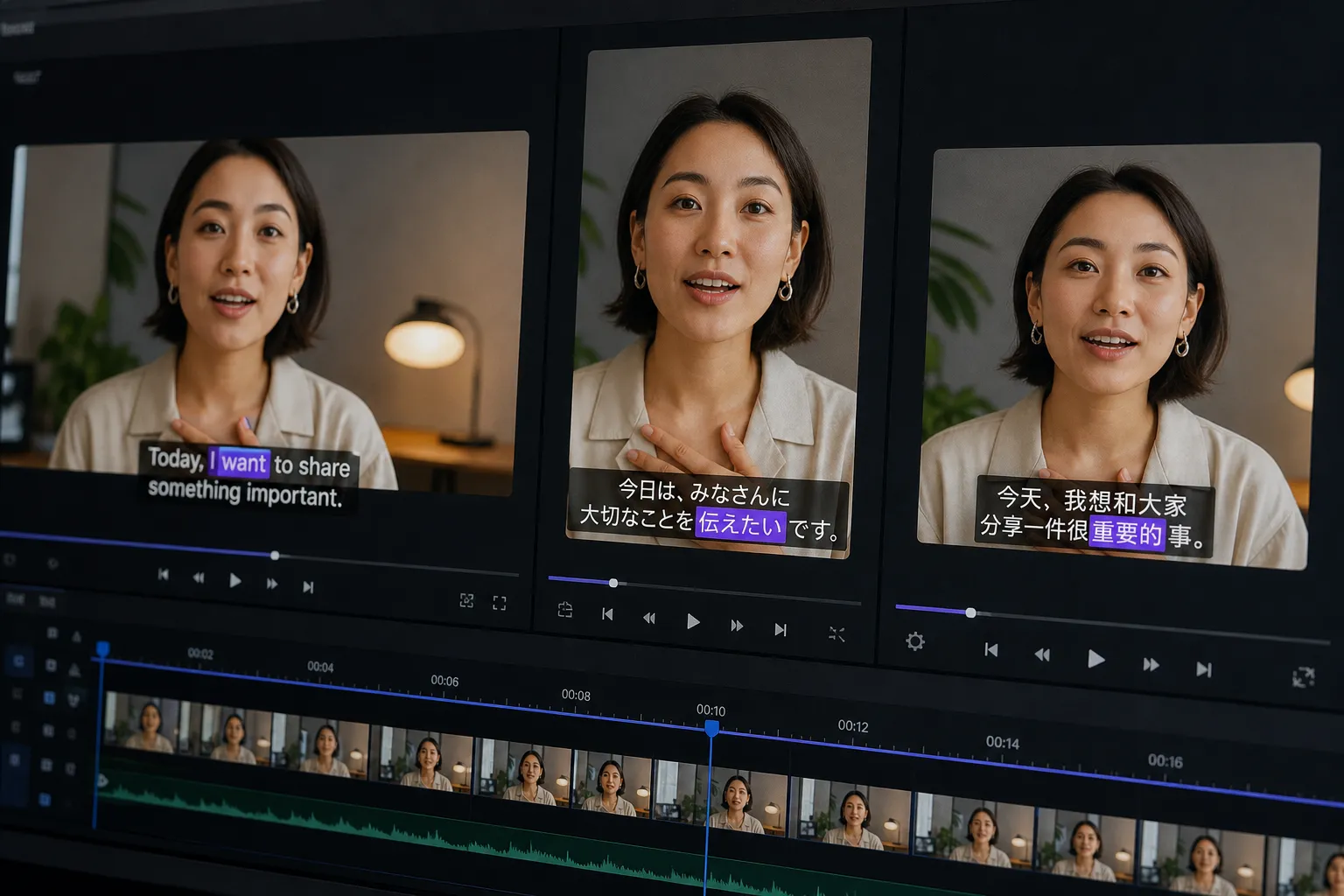
Publishing one video in five or ten languages can feel like a post-production traffic jam. Captions that read fine in English run long in German, TikTok crops the lower third, and your brand typeface drops glyphs in Arabic. Use this repeatable workflow to keep quality high while you move fast.
1) Start with a clean source transcript and timing
Everything flows from the master transcript. Get the words and timing right before you duplicate across languages. If you already cut the story, run an ai subtitles generator for a first pass. In SubtitlesFast, AI Subtitles transcribes in 50+ languages with word-level highlighting so you can click to correct misheards on the spot.
Clean in the timeline. Use Timeline Editing to trim dead air and false starts so captions land on natural pauses. Target 1 - 2 lines per subtitle, 32 - 42 characters per line, and 1.0 - 6.0 seconds on screen. Keep reading speed comfortable, roughly 15 - 17 characters per second. Leave a small gap between captions so they do not visually blend, at least a couple of frames. Do not split a phrase across cards if you can avoid it.
Standardize names, numbers, and product terms here. Add slang and brand terms exactly as you want them to appear, including casing. If a speaker change occurs within a single subtitle, mark it with a leading dash on the second line. For non-speech audio that matters to the story, use concise brackets like [music] or [laughter]. This file becomes the source for every translation, so the extra five minutes you spend now saves hours later.
2) Translate at scale, then localize
Translate your priority markets in one pass so timing and versions stay in sync. In SubtitlesFast, use Translate Subtitles to batch your top languages first, ship those, then return for the long tail.
Translation is step one. Localization is where it starts to read like it was written for that audience. Do a fast editorial scan in each locale:
- Glossary and do-not-translate: lock product names, feature names, and brand taglines. Keep a short list handy and apply the same choices across all languages in the session.
- Tone and pronouns: pick formal vs informal address where relevant (tu/vous, tú/usted, du/Sie) and keep it consistent.
- Numbers, currency, and dates: localize separators and formats (1,000.50 vs 1.000,50; 2026-09-30 vs 30/09/2026). Keep units familiar or add quick clarifiers.
- Line breaks and phrasing: do not split a verb from its object or a name across lines. If a sentence overruns, shorten the phrasing rather than crushing tracking.
Locale specifics to watch:
- Spanish: shorter lines often read better. Add ¿ and ¡ where needed.
- French: use a space before ! ? ; :. If a true thin space is not supported, a normal space is acceptable on-screen.
- German: long compounds can blow past your line length. Prefer shorter synonyms or restructure the sentence.
- Arabic and Hebrew: right-to-left scripts benefit from right alignment and fonts designed for the script. Confirm digits and punctuation style match the locale.
Read each subtitle out loud at normal speed. If you cannot finish before the next subtitle appears, tighten the copy. The read test catches 90% of awkwardness fast.
3) Style for readability and brand per locale
Style sells both clarity and recall. Use Subtitle Style Customization to pick fonts, colors, and animations that support each script and match your brand.
Set practical baselines and then adjust by language:
- Font and size: test your brand typeface in every script you plan to ship. If it drops glyphs, switch that locale to a close, fully supported font. As a starting point, aim around 36 - 48 px for 1920×1080 and 48 - 64 px for 1080×1920. Heavier weights help on small screens.
- Contrast and legibility: keep a solid stroke or soft shadow so text holds up over footage. A subtle background box at 60 - 80% opacity can save thin glyphs without looking heavy.
- Line height and spacing: give multi-line cards a bit of breathing room so ascenders and descenders do not collide. Keep consistent padding from screen edges.
Motion helps, in moderation. SubtitlesFast includes 30+ animated styles, plus Karaoke Style Subtitles and Karaoke Style Captions. For music videos, lyric reels, and punchy shorts, an animated karaoke subtitles editor look with word-level highlight works well. Educational and corporate content often benefits from a calmer fade or pop-in. Pick a lane and stay consistent across languages.
Mind platform norms while you style. YouTube viewers accept slightly smaller type. TikTok and Reels tend to reward bolder weights and higher contrast. Always preview on a phone before you lock.
4) Frame for platforms and export cleanly
Great captions in the wrong place still fail. Use Change Aspect Ratio to produce 16:9 for YouTube, 9:16 for TikTok and Reels, and 1:1 for square feeds without re-editing the story.
Reposition to avoid UI. As a rule of thumb:
- TikTok and Shorts: keep captions above the bottom 15 - 20% and clear of the right-side action bar by a comfortable margin.
- Instagram Reels: avoid the top strip where the handle and audio bar live. Keep text centered or slightly above center.
- YouTube: lower thirds are usually safe, but test on mobile and TV so captions do not hug the bezel.
While reframing, nudge cuts in Timeline Editing so captions do not straddle hard scene changes. If key visuals live near the bottom, move captions up and tighten line length so faces and words can share the frame. This is also when to add or level music if needed, since rhythm changes how subtitles feel in motion.
Export with Burned-In Subtitles for each channel and aspect ratio so your look survives compression and viewer settings. Name files clearly, for example product-demo_es-ES_9x16.mp4, so nobody ships the wrong cut. If your piece uses music, spot-check on small screens for dialog clarity and color contrast. Many teams finish their add subtitles to video online workflow here, then schedule posts.
Bonus: if your tool includes an AI Thumbnail Generator, create language-specific covers that mirror your subtitle colors. Keep the visual theme consistent from thumbnail to captions.
5) QA before you hit publish
Ship fast, but never skip checks. A short pass catches most issues. Drop this into your playbook:
- Timing and rhythm: captions land with speech, with no late pops or early hangs. Display time stays within 1.0 - 6.0 seconds. Word-level highlights track cleanly in karaoke styles.
- Readability: two lines max, natural breaks, no orphaned words, enough padding from edges. Fonts render every character in every language.
- Placement: safe zones respected for TikTok, Reels, Shorts, and YouTube. Nothing hides behind UI elements or watermarks. No captions across hard cuts.
- Consistency: brand colors, font choices, and animation style match the locale system you set. Music and visuals do not clash with on-screen text.
- Translation fit: product names, numbers, currency, dates, and tone read naturally. Punctuation follows local rules. Formality stays consistent.
- Export sanity: correct aspect ratios and file names, audio clear on phone speakers, captions crisp on both light and dark footage.
Order beats heroics. Start with a clean source, batch your top languages, localize what the audience sees first, then lock positions and export. Tools like SubtitlesFast make it easy to translate, style per locale, and burn subtitles into video so your work looks the same on every platform.
Key takeaways
- Write once, translate many. Keep a clean source transcript and reuse it across locales.
- Batch translate, then localize tone, idioms, punctuation, and formats per language.
- Style by language. Fonts, sizes, contrast, and animations should serve readability and brand.
- Adapt position for each aspect ratio and platform before you export.
- Use burned-in subtitles for consistent playback across social platforms.
FAQ
What is the fastest way to create multilingual subtitles for a short video?
Start with AI Subtitles to create a clean transcript, translate with a batch tool, then style and burn in per platform. Work in that order to avoid rework.
Should I burn subtitles into video or upload separate caption files?
For social platforms, burned-in subtitles are more consistent. They preserve your style and avoid platform UI or auto-caption quirks.
How do I handle fonts for languages with different scripts?
Pick a font that fully supports the script and test on a phone. If your brand font lacks glyphs, choose a similar fallback for that locale.
What size and position work best for TikTok captions?
Use bold text, two lines max, and keep captions above the bottom 15% to avoid UI. Test on a posted draft to confirm nothing is covered.
Can karaoke style captions help with engagement?
Yes. Word-level highlighting guides the eye and can lift retention on music, lyric, and short-form content when used with clear timing.