

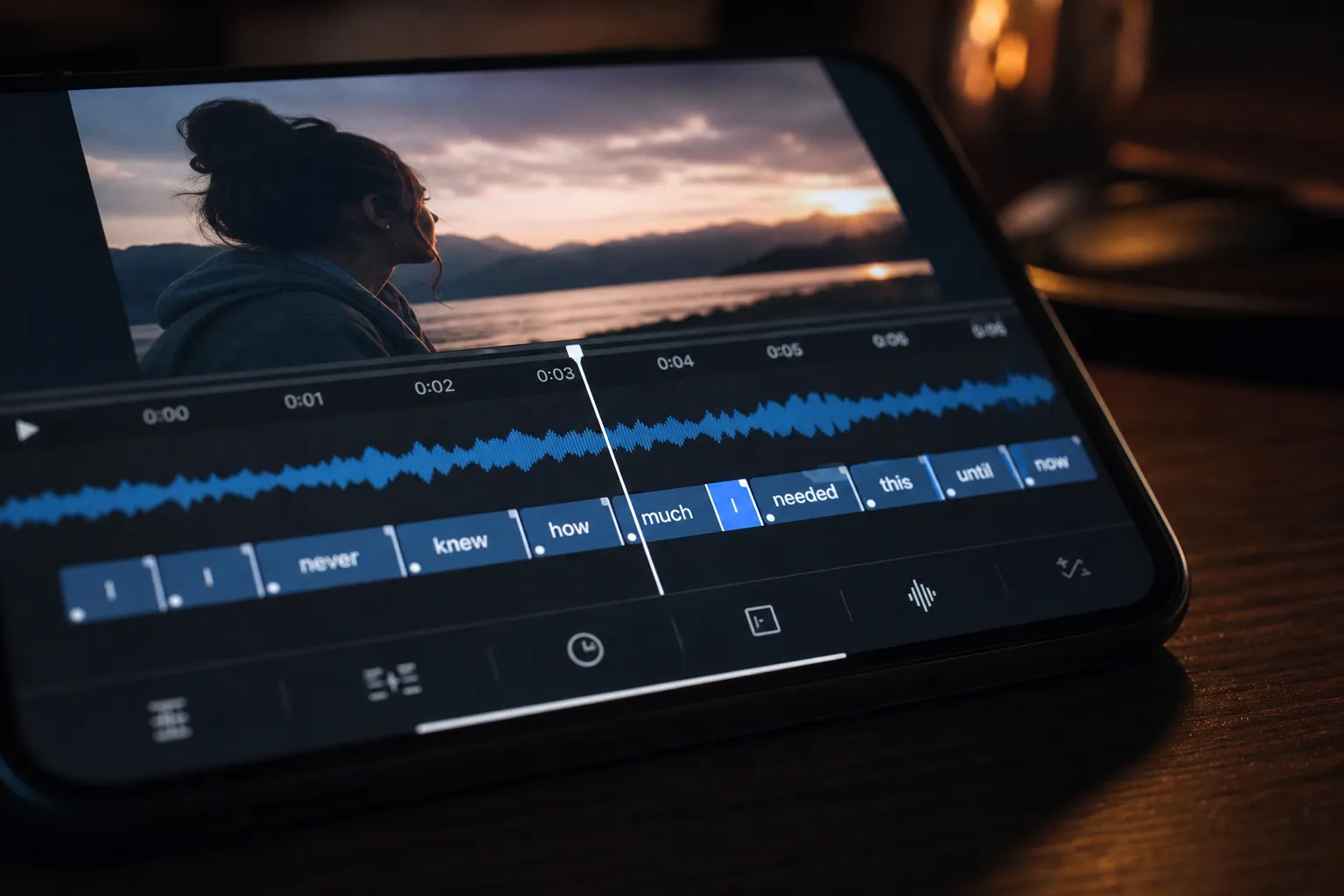
Viewers judge your video in seconds. If captions pop early, linger late, or miss a product name, they feel it and swipe. Subtitle accuracy shapes watch time, comprehension, and shares, and it signals quality to the platforms that recommend your content.
This guide shows how to define accuracy, measure it with a quick rubric, and fix common issues fast. You will also get a simple workflow to translate, style, and burn captions so your videos ship consistent quality at scale.
What subtitle accuracy means and why it matters
Subtitle accuracy blends four things working together: the right words, the right timing, readable layout, and full coverage of meaningful sounds. Nail all four and your video feels effortless to follow.
- Lexical accuracy. Words match what was said, including names, brands, and domain terms. Aim for 0% errors on named entities.
- Timing accuracy. Captions appear as a phrase starts and clear as it ends. A consistent lead or lag of 80 to 120 ms already feels off.
- Formatting accuracy. Lines break at natural phrase boundaries. Punctuation reflects cadence. Reading speed stays comfortable.
- Completeness. No missing lines. Use concise labels for relevant non-speech, like [Music] or [Laughter], without over-describing.
Accuracy drives UX first, and that improves SEO. Better captions lift retention and completion rate, which platforms treat as quality signals. Clear on-screen text also helps non-native speakers and people watching with sound off, which is most of short-form viewing. As AI answers expand, transcripts and on-screen text help engines understand context. See AI search statistics 2026: how people actually find answers now from an SEO automation tool that writes content, builds dofollow links, and fixes indexing to learn how discovery is shifting.
How to measure and audit errors
You do not need a lab to grade captions. Use a short checklist, collect a baseline, then fix what moves the needle.
Set a quick baseline
- Word error spot-check. Sample three 30-second clips from start, middle, and end. Count substitutions, insertions, deletions. Compute WER = (S + D + I) / N. Target under 2 to 3% overall and 0% for brand and product names.
- Timing offset. Play the samples out loud. If lines consistently lead or lag by ~100 ms or more, apply a global shift. Then fine-tune phrase-by-phrase.
- Readability. Keep one to two lines per subtitle. About 32 to 42 characters per line reads well on mobile. Keep duration between 1.0 and 6.0 seconds depending on length. Target 12 to 17 characters per second for comfortable reading speed.
Platform-specific checks
- Shorts, Reels, TikTok. Test with sound off. Fast cuts magnify timing drift. If you use word-level highlights, they must track the waveform tightly or they distract.
- YouTube and long-form. Punctuation, case, and line breaks matter more. Upload an SRT for SEO even if you also burn open captions into the video.
- Translations. Spot-check high-traffic locales. Preserve names and product terms. Adjust line length by language. For example, German tends to run longer lines than English; Japanese needs tighter line breaks.
- Accessibility. Include short, relevant non-speech tags. Do not caption background chatter that adds no meaning.
Fix and style captions for readability and engagement
Most problems live in three areas: timing, line breaks, and style. Tighten each with these concrete steps.
Align timing to the final cut
- Lock the timeline first. Use Timeline Editing to trim filler, cut stumbles, and finalize pacing. Accurate captions follow the final cut, not the rough cut.
- Sync by phrase. Nudge each subtitle so it lands within ~50 ms of the phrase start and clears within ~100 ms of the phrase end. Avoid zero gaps between consecutive lines. Leave at least 75 to 100 ms of separation to prevent flicker.
- Use the waveform. If your editor supports word-level highlighting, align to consonant onsets in the waveform to catch micro-lag at the start of lines.
Write natural line breaks
- Break on sense units. Split at clause or phrase boundaries. Bad: “Our new / pricing lets startups scale.” Better: “Our new pricing / lets startups scale.”
- Balance length. Keep lines visually similar so eyes do not travel far left to right. If one line is much longer, rephrase lightly or split differently.
- Trim filler. You can drop “um,” “uh,” and doubled words. Keep meaning. In short-form, compress by 5 to 10% for easier scanning.
- Punctuate for cadence. Periods, commas, and question marks help viewers follow tone and timing.
Make text instantly legible
- Contrast first. White or near-white text on a semi-opaque dark box is safe. Aim for a WCAG-like contrast of 4.5:1 or greater.
- Font and size. Choose clear sans-serif fonts with open counters, like Inter or Roboto. For 1080x1920 vertical, start around 56 to 72 px with a 2 to 4 px stroke or an 60 to 80% opacity background.
- Safe placement. Keep captions away from faces and UI. On vertical, float 12 to 15% above the bottom to clear platform controls. Check 9:16, 1:1, and 16:9 crops.
- Reading speed control. If a line exceeds ~17 cps, split it or tighten phrasing. Keep each subtitle on screen long enough to read once without rereading.
Use motion and branding with restraint
- Animated styles. Subtitle Style Customization offers animated treatments. Use subtle pop-ins or light word highlights that follow speech rhythm without stealing attention.
- Karaoke pacing. Karaoke Style Subtitles and Karaoke Style Captions work well for lyrics, tutorials, and punchy narration. Use them to guide the eye on beats, not to decorate every word.
- Color discipline. Brand colors are fine if they keep contrast. If the background is busy, increase stroke weight or background opacity rather than shrinking text.
When the edit is final, use Burned-In Subtitles to bake accurate captions into the video. Social platforms often strip or ignore sidecar files. For YouTube, export a clean SRT or VTT as well for indexing.
Workflow to maintain accuracy at scale
Quality scales when steps are repeatable. Use this loop for shorts and long-form alike.
1) Generate, then verify
Run AI Subtitles to auto-transcribe in 50+ languages with word-level highlighting. Create a glossary for brand terms, product names, and proper nouns. Correct those first so search-and-replace is reliable across the project.
2) Lock the cut
Use Timeline Editing to finalize structure and pacing before deep caption work. Remove tangents and tighten pauses so later timing tweaks are minimal.
3) Fix timing and readability
Adjust in and out points until each subtitle lands on the beat of the voice. Maintain one to two lines, balanced lengths, and comfortable durations. Use Subtitle Style Customization to set font, contrast, and motion that hold up on mobile.
4) Localize for reach
Use Translate Subtitles for priority markets. Preserve names and UI terms. Check that line lengths and reading speeds fit each language. For RTL languages, verify alignment and punctuation direction.
5) Prepare per platform
Use Change Aspect Ratio to make 9:16, 1:1, and 16:9 masters. Reposition captions to avoid crops and overlays. If you need baked text for social, export with Burned-In Subtitles for consistent playback.
6) Package the post
Create a cover with the AI Thumbnail Generator that matches your caption style. If music sets the pace, Add Music in the editor before your final timing pass so subtitles and rhythm lock together.
Publish, then review analytics. If drop-off spikes at a specific moment, rewatch with captions on. You will often find a late subtitle, a dense line, or a style clash you can fix and re-upload quickly.
Key takeaways
- Subtitle accuracy blends correct words, tight timing, clean formatting, and complete coverage.
- Measure with a quick WER spot-check, timing offset test, and readability scan, then audit by platform and language.
- Fix timing on the final cut, break lines on sense units, and keep reading speed near 12 to 17 cps.
- Style for instant legibility with strong contrast, readable fonts, safe placement, and restrained motion.
- Use AI Subtitles, Timeline Editing, Subtitle Style Customization, Karaoke Style Captions, Translate Subtitles, and Burned-In Subtitles to scale quality.
- Prepare 9:16, 1:1, and 16:9 variants with Change Aspect Ratio, then package with an AI Thumbnail Generator for consistent publishing.
Make subtitle accuracy part of your process. Your videos will feel better to watch and perform better wherever you post.