

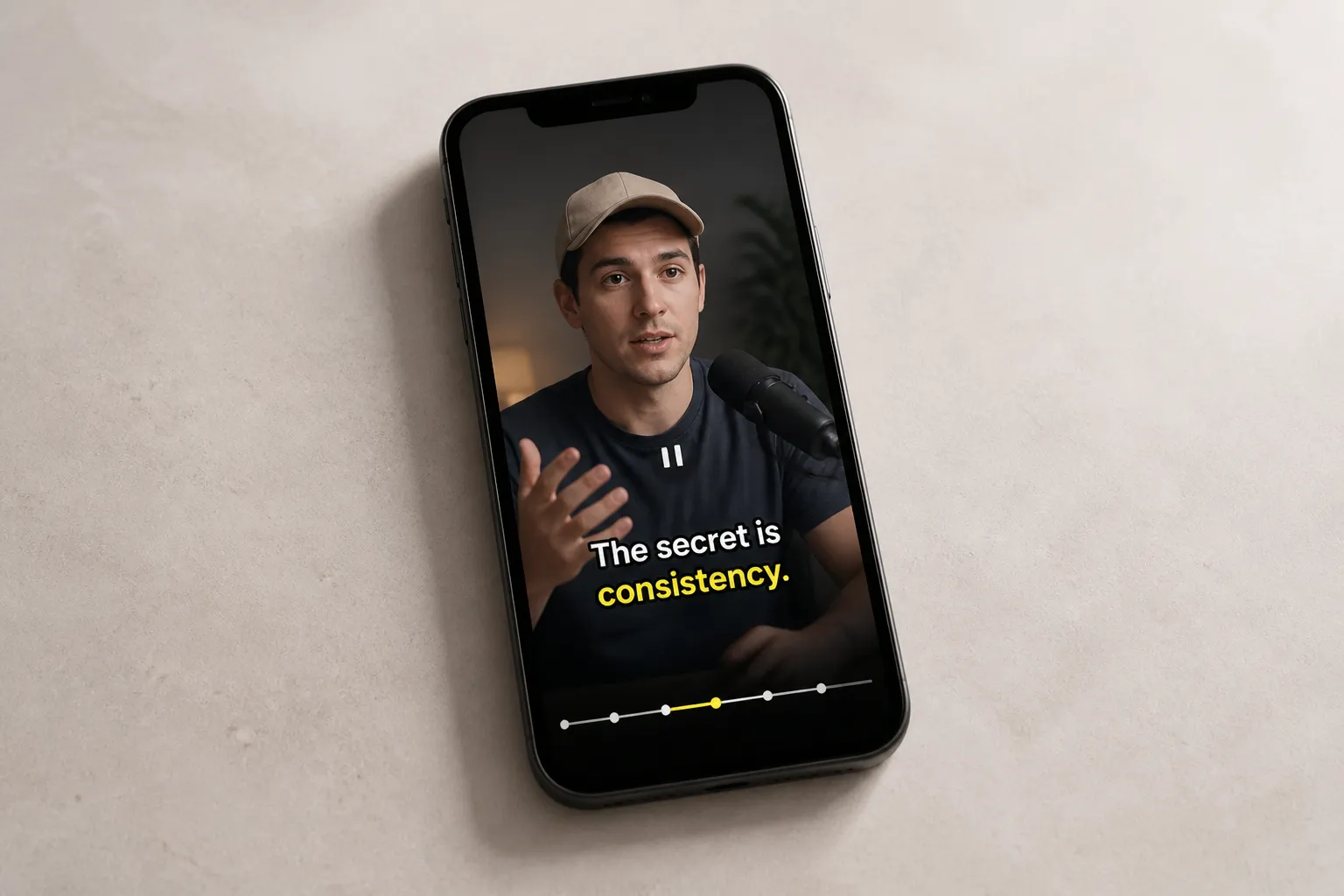
You can shoot a great clip and cut a tight edit, but if the captions are sloppy or hard to read, people scroll. Clear, intentional captions earn the click, keep viewers locked in, and help platforms match your video to the right searches. Here is a practical checklist you can run before you hit export, plus quick examples to show what “good” looks like.
Video SEO captions checklist
- Start with intent-driven keywords. Write down the exact phrase a viewer would search, then echo that language in your first two caption lines. Pull phrases from search autosuggest, top comments, and competitor titles. Example: if people type “how to fix squeaky door,” your first line can start “Fix a squeaky door in 60 seconds.”
- Front-load meaning in the first 2 lines. Lead with problem and payoff. Formula that works: problem + promise + time frame. Example: “Cracked iPhone back? Here is a clean fix under $10.” Do not tease. Say the value up front so skimmers stick.
- Write short, time-synced lines. Aim for 28–40 characters per line, under ~2 seconds on screen for short-form. Keep most captions to 1–2 lines. If a line takes longer to read than it is on screen, people bounce or pause.
- Use an AI subtitles generator, then proof. Auto-captions get you to 90% fast. Fix proper nouns, homophones (their/there), measurements, currency, and numbers. Verify brand names, URLs, and model numbers letter by letter.
- Use Karaoke Style Captions for emphasis. Highlight only the key word in a claim, price, or step. Save it for moments that matter instead of every line so the effect stays useful, not noisy.
- Style for small screens. Pick a legible sans serif, high contrast colors, and a subtle shadow or stroke for busy backgrounds. Keep text clear of faces, hands, and UI. If you need a starting point, size captions so they remain readable at arm’s length on a phone.
- Match platform aspect ratio early. Set 9:16 for TikTok, Reels, and Shorts, 1:1 for square feeds, 16:9 for horizontal. Design captions inside a safe area so nothing gets cropped when you publish.
- Trim for pace before captioning. Cut silences, filler words, and duplicate takes so lines land on clean speech. Tight audio makes timing simple and keeps captions from stacking up.
- Use action verbs and simple words. Replace “utilize” with “use,” “commence” with “start,” “leverage” with “use.” Each line should read like a complete thought. Short words scan fast.
- Add brand terms naturally. Mention your brand, product, or model once near the start if it fits the sentence. Do not stuff it. One clean mention helps search and feels honest.
- Translate for reach. Add 1–2 languages your analytics show you already attract. Keep brand names and feature names in the original if they are proper nouns. Adjust number formats, date order, and currency.
- Use motion effects sparingly. A 150–250 ms fade, pop, or underline draw works. Skip heavy bounces or full-screen wipes during dense info. Motion should guide, not distract.
- Keep captions out of UI hot zones. On TikTok, avoid the bottom right and edges where buttons live. On Shorts, leave room for the scrubber. As a rule of thumb, keep text away from the outer 10% of the frame on all sides.
- Balance sound and silence. If a shot has quiet ambience, add a low music bed so captions still feel anchored. Keep music low enough that consonants in the voice are crisp. Do not let beats pull attention away from reading.
- Test line breaks for breath. Break at natural phrases, not mid-thought. Example: “Whisk eggs | until the yolks lighten,” not “Whisk eggs until | the yolks lighten.” Your ear will tell you what reads clean.
- Preview on a phone at 1x and 1.5x speed. Watch through and read out loud. If you stumble at 1.5x, most viewers will not keep up at 1x.
- Burn subtitles into video for guaranteed playback. Export with burned-in captions so text always shows on TikTok, Reels, and Shorts. You can still upload an SRT where supported, but the baked text removes risk.
- Create a scroll-stopping thumbnail. If the platform lets you choose a cover, pick a frame that mirrors your first caption line. A clear, high-contrast word or number in frame helps the click.
- Keep keyword consistency across title, on-screen text, and captions. Repeat your main phrase once in the title or overlay, and once early in captions. Consistency helps the system classify your video and tells humans they found the right thing.
- Audit color contrast and readability. Use light on dark or dark on light. If the background changes, add a thin outline or shadow. Avoid neon on white or low-contrast pairs that vanish in daylight.
- Version by platform. For TikTok and Shorts, keep lines punchy and fast. For longer YouTube videos, hold 2-line captions a touch longer so viewers can relax into them. Match the pace of the feed.
- Keep a repeatable template. Save a house style with font, size, color, safe margins, and karaoke settings. Share the preset so every editor lands in the same place without guessing.
- Ship faster with the right tools. If you also spin up short clips from text, a quick helper like a Faceless TikTok video maker can turn prompts or a URL into on-brand scripts, visuals, voiceover, and an MP4 while you polish captions. Parallel tasks speed up posting without cutting quality.
- Do a final accessibility pass. Spell out dates and numbers clearly, include sound cues like [music] or [applause] where they matter, and express emphasis with weight or highlight, not only color.
Examples: first two lines that hook and rank
-
Recipe short targeting “5 minute chili oil eggs”
First line: 5-minute chili oil eggs, all pantry staples.
Second line: Crisp edges, jammy yolk, no special pan. -
DIY fix targeting “how to clean white sneakers”
First line: Clean white sneakers in 3 steps, no bleach.
Second line: Works on canvas, leather, and mesh. -
SaaS tip targeting “how to remove background in video”
First line: Remove a video background in under a minute.
Second line: No green screen, just one click and export. -
Travel hack targeting “pack a carry on only”
First line: Pack a carry-on for 7 days without wrinkling.
Second line: Roll, cube, and wear your bulkiest pair.
Each example mirrors a likely search and states the payoff immediately. Keep the tone natural to your brand, but hold this structure.
How SubtitlesFast fits into this workflow
SubtitlesFast covers the core captioning steps you just checked off. Use AI Subtitles for quick, accurate transcription with word-level highlighting. Switch on Karaoke Style Subtitles to spotlight key words in rhythm. Make captions readable and on-brand with Subtitle Style Customization across 30+ animated styles. Reach more viewers with Translate Subtitles. Lock in visibility with Burned-In Subtitles so your captions always display on TikTok, Reels, and Shorts. Round it out with Change Aspect Ratio, Timeline Editing, Add Music, and the AI Thumbnail Generator to ship platform-ready videos that get clicked and watched.
Key takeaways
- Lead with the exact phrase your viewer would search, then state the payoff in line one or two.
- Keep captions short, time-synced, and styled for phones with high contrast and clean placement.
- Use karaoke highlighting for emphasis, not decoration, and preview at 1x and 1.5x on a phone.
- Translate and burn captions into the video so text always shows across social platforms.
- SubtitlesFast bundles transcription, styling, translation, and burned-in export so you can post faster.
Treat captions like on-screen copy, not a transcript dump. Keep them short, clear, and tied to what the viewer searched for. Do that and you will earn the two numbers that matter in short form: more people click, more people finish.