

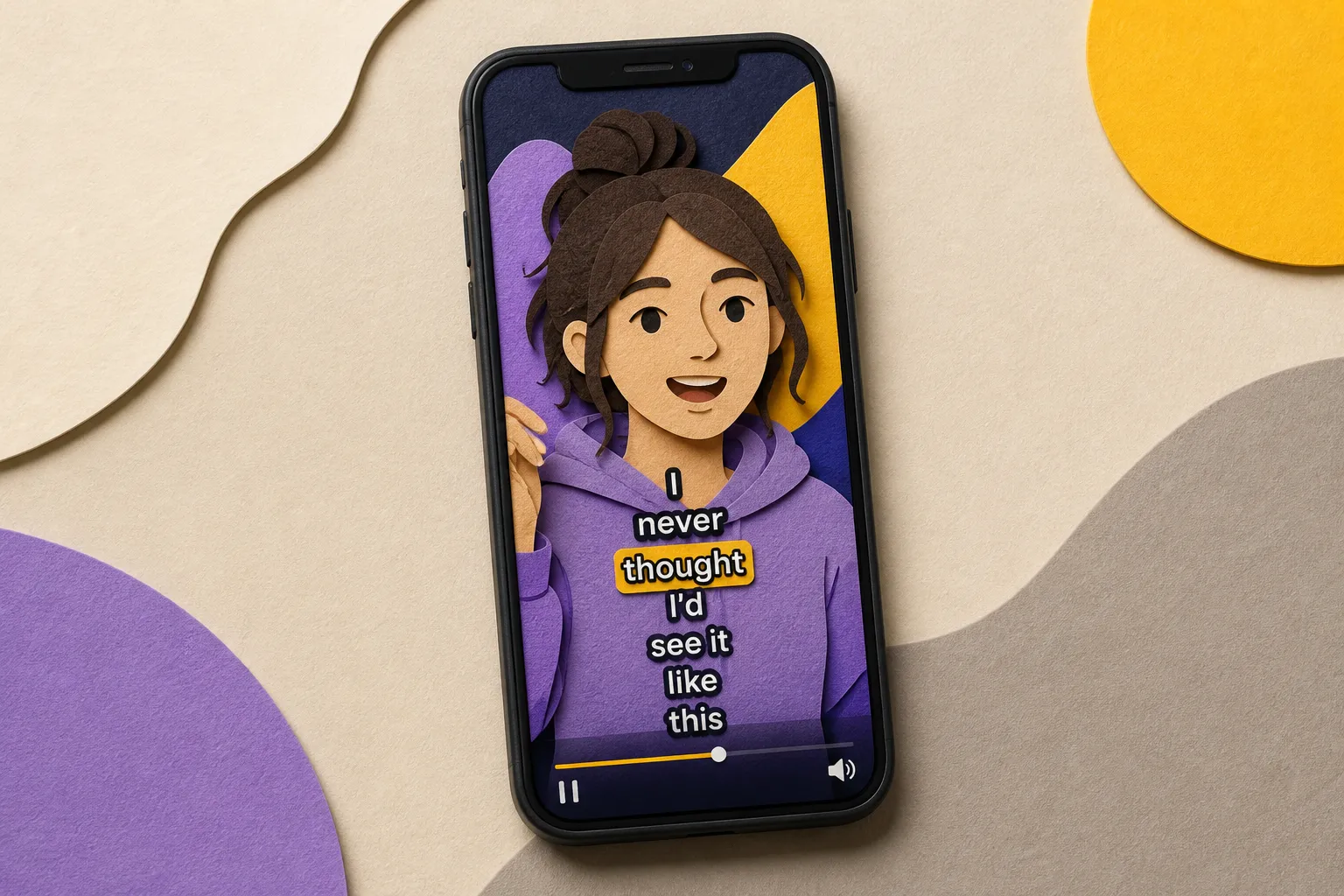
Your video can be smart, funny, and helpful. If viewers bail in the first 5 seconds, the algorithm will not give it a chance. Captions are the fastest way to hold attention, help search find you, and make your content work sound-on or sound-off.
This guide shows how to use video SEO captions to raise watch time and reach across TikTok, YouTube, Instagram, and X. You will see style choices that keep eyes on screen, practical translation tips, when to upload native captions versus burn them in, and simple ways to measure what actually moves the needle.
Why captions matter for video SEO
Most viewers start on mute. Open captions make your hook readable in the scroll and keep people from skipping. That extra 2 to 10 seconds of attention often turns into higher average view duration, more completions, and better distribution. Captions also help viewers who speak another language or watch in noisy places stick around.
Search rewards videos that hold attention and match intent. On platforms that index caption files, accurate text tracks support discovery. YouTube, for example, can index uploaded SRT or auto-generated transcripts, so clean captions reinforce what your video is about. On platforms that do not index burned-in text, captions still pay off by lifting retention, which is a core ranking signal. Treat captions as a watch-time tool first and a search helper second.
If you teach or sell expertise, captions do more than accessibility. They build clarity and trust. Education creators who serve parents, for example, often point families to safety resources like this guide on how parents can run tutoring background checks that work to vet instructors and online tutors. Clear, readable captions paired with resources like that show you care about details viewers value.
SubtitlesFast speeds this up with AI Subtitles that auto-transcribe in 50+ languages with word-level highlighting, plus Karaoke Style Subtitles and Burned-In Subtitles for social-friendly delivery. You can add music, trim on a simple timeline, adjust aspect ratio for each platform, and ship a version that looks right without bouncing between tools.
Style choices that increase retention
Readable captions are not decoration. They add movement and meaning that guide the eye. Get these basics right and your graphs improve.
Make it readable on small screens
- Keep it to one or two lines. Use 24 - 36 px on mobile and generous line height so words breathe.
- Limit characters per line. Aim for short, natural breaks instead of cramming sentences.
- Use high contrast. Light text on a dark box or shadow is the safest choice across busy backgrounds.
- Avoid the edges. Keep captions a bit above the bottom safe area and 5 - 10% in from the sides so UI elements do not cover them.
- Prefer mixed case over ALL CAPS. It reads faster. Keep punctuation light and conversational.
With SubtitlesFast, use Subtitle Style Customization to pick from 30+ animated styles, then adjust font, color, and animation timing. The AI Subtitles generator places words accurately, and you can nudge timing on the timeline without a learning curve.
Use karaoke-style motion for the hook
Karaoke Style Captions highlight words as they are spoken. That motion anchors attention on your opening claim, clarifies fast dialogue, and makes technical terms stick. Use it for the first 3 - 7 seconds, then switch to a calmer style if the video slows down. Keep the highlight speed in sync with natural speech so it guides, not distracts. The animated karaoke subtitles editor in SubtitlesFast makes this a one-click swap.
Brand-safe color and contrast
- Pick a color pairing you can reuse across videos. Consistency helps recognition.
- Combine brand colors with a neutral backing box or soft shadow to protect contrast on bright or textured footage.
- Reserve bold animations for emphasis. Constant bouncing tires viewers and can lower retention.
If your background is busy, choose a boxed style. SubtitlesFast lets you test several presets quickly, so you can keep your brand look without hurting legibility.
Multilingual reach with translations
Captions are your simplest path to a global audience. Translating a 60-second short can double or triple qualified reach in regions where your topic is hot.
Which languages to prioritize
- Check your audience geography inside platform analytics and look at trending regions for your niche.
- Pick 1 to 3 languages with both audience size and monetization fit.
- Watch comments. Requests in another language are a strong signal.
SubtitlesFast can Translate Subtitles after you generate them. Keep your original timing, then output a version per language. If your content includes prices or measurements, consider on-screen notes that localize currency or units. You can also run a bilingual first line in the hook to signal the language option.
How to translate without losing timing
- Transcribe first with AI Subtitles. Fix names, brand terms, and jargon.
- Apply your chosen style. Test on a phone to confirm line breaks look clean.
- Run Translate Subtitles. Check for lines that expanded too much. If a line wraps awkwardly, split it on the timeline or trim filler words.
- Export a burned-in version per language for short-form. For YouTube long-form, also export and upload an SRT per language.
For complex scripts, karaoke style still works. The word-level highlight helps viewers follow at a natural pace without pausing.
Platform-specific: upload or burn-in
Every platform handles captions and discovery differently. If a platform is mostly watched on mute and favors fast swipes, burned-in captions with punchy styles win. If the platform indexes text tracks for long-form search, combine readable captions with strong metadata and titles.
TikTok and Reels: burned-in for sound-off
- Export 9:16 with Change Aspect Ratio. Keep captions above the bottom UI bar and away from side icons.
- Use Karaoke Style Captions in the first 3 to 5 seconds to hook scrollers.
- Burned-In Subtitles are ideal here. They guarantee your style shows up everywhere and stay readable after compression.
Trim aggressively with Timeline Editing to front-load the point. Add Music if your clip needs a beat, then let the karaoke highlight ride the rhythm.
YouTube: long-form and Shorts
- For Shorts, treat it like TikTok. Big, high-contrast, burned-in captions.
- For long-form, keep a calmer style that does not cover visuals. Raise captions during lower thirds.
- Upload an SRT or VTT for each language. Clean captions support accessibility and help viewers search the transcript.
Pair your video with a clear thumbnail. SubtitlesFast includes an AI Thumbnail Generator to test different looks and improve click-through rate without leaving the editor.
X and cross-posting
- Square or 9:16 both work. Use Change Aspect Ratio to reframe quickly.
- Keep captions away from reply and like icons. Leave generous side padding.
- Burned-in works well for reposts, since the style survives multiple rounds of compression.
Keep file sizes reasonable. Short clips with crisp, burned-in text hold up best after multiple uploads.
Measure and iterate
Captions do their job when graphs move up and to the right. Track the few numbers that matter, change one thing at a time, and ship more.
Watch time and completion rate
- Watch the first 3-second and 8-second hold rates on shorts. Karaoke highlights often add a few points.
- For long-form, track average view duration and completion rate. Clean, readable styles reduce drop-offs during dense sections.
If your first 3 seconds sag, tighten the edit with Timeline Editing and use a stronger karaoke highlight on the opening claim.
CTR with better packaging
- Test 2 to 3 thumbnail variations per video. Use the AI Thumbnail Generator for quick options.
- Match the first caption line to the thumbnail promise. Viewers should see the claim repeated in motion.
Small changes compound. A 1-point CTR lift and a 3-point AVD lift can double reach in a week.
A simple weekly workflow
- Rough cut with Timeline Editing. Trim dead air and front-load the point.
- Run AI Subtitles. Fix names and jargon.
- Apply a readable Subtitle Style. Use Karaoke Style Subtitles for the hook.
- Translate Subtitles for 1 - 3 target languages.
- Change Aspect Ratio for each platform.
- Burn subtitles into video for TikTok, Reels, and X. For YouTube long-form, also upload SRT files.
- Generate 2 - 3 thumbnails with the AI Thumbnail Generator. Pick the best opener.
- Review metrics after 48 hours. Adjust style, timing, or hook based on hold rates and CTR.
Key takeaways
- Captions are a watch-time tool first. Better retention drives distribution and discovery.
- Readable styles and smart karaoke highlights hook scrollers without hurting clarity.
- Translate captions to reach new markets with minimal extra work.
- Burned-in subtitles are ideal for TikTok, Reels, and cross-posts. Pair with caption files and strong metadata on YouTube.
- Measure hold rates, AVD, and CTR. Iterate weekly with small, consistent changes.
You do not need a studio to ship pro captions. With SubtitlesFast you can add subtitles to video online with AI, pick a style that fits your brand, translate for new audiences, and burn subtitles into video for clean social sharing. Ship more, learn faster, and let your captions carry the weight.
FAQ
Do captions really help video SEO?
Yes. Captions keep viewers watching longer on mute and make dense parts easier to follow. Higher watch time and completion rates improve distribution and discovery.
Should I burn subtitles into the video or upload separate captions?
For short, social-first content, burned-in captions are reliable and keep your style across platforms. For long-form discovery, combine readable captions with strong titles and descriptions.
What are karaoke style captions and when should I use them?
Karaoke style captions highlight each word as it’s spoken. Use them in the opening seconds to hook attention or during fast explanations where pacing matters.
How can I add subtitles to video online quickly?
Use an AI subtitles generator like SubtitlesFast to auto-transcribe, pick a readable style, make quick edits on the timeline, and export with burned-in subtitles.
Which languages should I translate my captions into?
Start with 1 - 3 languages that match your audience geography and potential. Check analytics and comments, then expand based on demand and results.